

In the dynamic world of sales a one size fits all price tag rarelly works. businesses need the flexibility to offer differrent pricess to wholesale partners reward loyal customers with discounts and run seasonal promotions or managespricing across different geographic regionss.
Odoo19 handles this complexity with a robust feature called pricelists.based on the latest odoo documentation we are going to break down exactly what pricelists are how their rules function and how you can use them to automatte your uniqque pricing strategiess.
What Exactly is an Odoo Pricelist?
At its core an odoo pricelist is not just a static list of numbers. it is a smart engine designed to automaticallyu calculate the correct selling price for a product based on a specifice set of criteria.
Thimk of it as a rulebook sitting between your product catalog and your sales order. when you select a product for a customer, odoo checks this rule book. It asks "Who is this customer? How many are they buying? Is there an active promotion?" Based on the answers, it serves upthe final price.
without pricelists every customer pays the standard sales price found on the product form. with pricelists you can tailor that price infinitely.
Getting Started: Activation
Before you can use advanced pricing, you need to tell Odoo you want this capability. As per the documentation, this feature is tucked away in the settings.
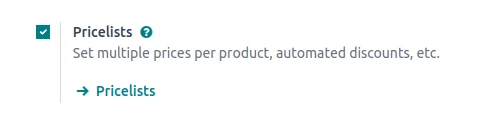
You need to navigate to Sales > Configuration > Settings. Under the "Pricing" section, you must ensure the Pricelists option is checked.
The Engine Room: Understanding Pricelist Rules
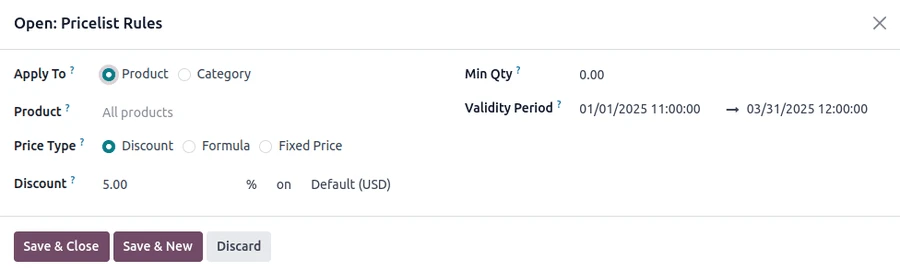
The real power of Odoo 19 pricing lies within the "Pricelist Items" or rules. A single pricelist contains one or more rules that define how a price is computed.
When configuring a rule, the documentation highlights three primary computation methods you can use:
1. Fixed Price
This is the simplest method. You are telling Odoo, "Forget the product's base price; for this specific pricelist, the item costs exactly $X." This is ideal for overriding standard pricing entirely for specific items.
2. Discount
This method is widely used for sales tiers. you set a percentage discountss applied to the products standard sales price. example, a "Gold Partner" pricelist might have a global rule giving a 15% discount on everything.
3. Formula
The formula is the most complex and powerful method. It allows you to build prices dynamically based on other values, such as the product's cost or even another pricelist.
Formulas allow for advanced tactics like:
1. Cost-plus pricing: Setting the price at product cost + a 20% margin.
2. Rounding: Ensuring all prices end in .99 or come to the nearest nickel.
3. Min/Max margins: Ensuring that automated discounts never dip below a certain profit floor.
Controlling Applicability :
It is not enough to define how a price changes you also need to define when it changes.
Product Scope: you can apply a rule to all Products [global discounts], a specific Product Category [e.g., 10% off all Services], a specific Product or even down to a specific Product Variant [e.g., only the Red XL t-shirt is on sale].
Minninum Quantity:THis is crucial for bulk oricing. you can create tiers where buying 1-10 uinits costs $10 each, but buying more than 11 units drpops the price to $8 each.
Validity Dates: Perferct for seasonal sakes like "Black Friday" .you ca set start and end dates so the pricing rule automatically activates and expires without manual inteervention.
Odoo processes these rules by looking for the most specific match first. A rule tailored to a specific product variant will always take priority over a general rule for an entire product category.
Connecting Pricelists to customers
Once you have built your various pricelists [e.g."Wholesale A," "Retail VIP," "European Market") you need to ensure the right customers get the right pricess.
Customer Assignment:
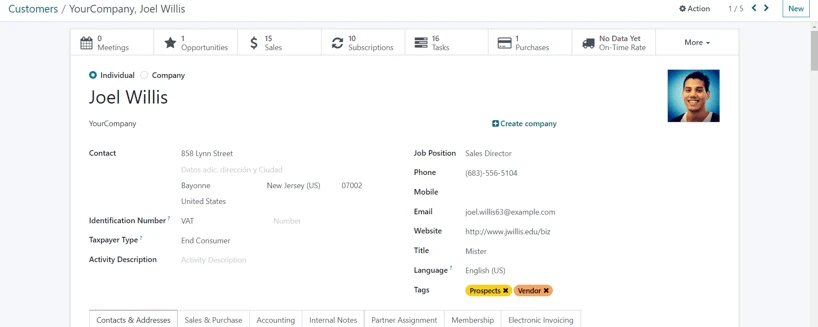
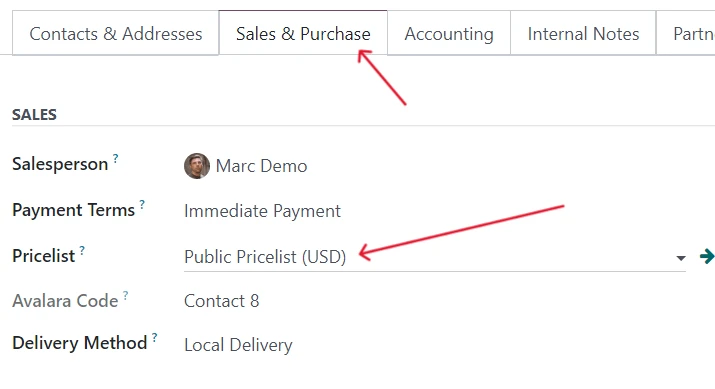
The most direct method is linking a pricelist to a customer contact. On any customer's form in Odoo under the Sales & Purchase tab there is a field to specify their default pricelist. Once set every quotation or sales order created for them will automatically use that pricelist.
Country Groups and Pricelist
for international businesses pricelists are essential you can assign pricelists to specific Country Groups. if a customers address is in India. odoo can automatically select your "Indian" pricelist.
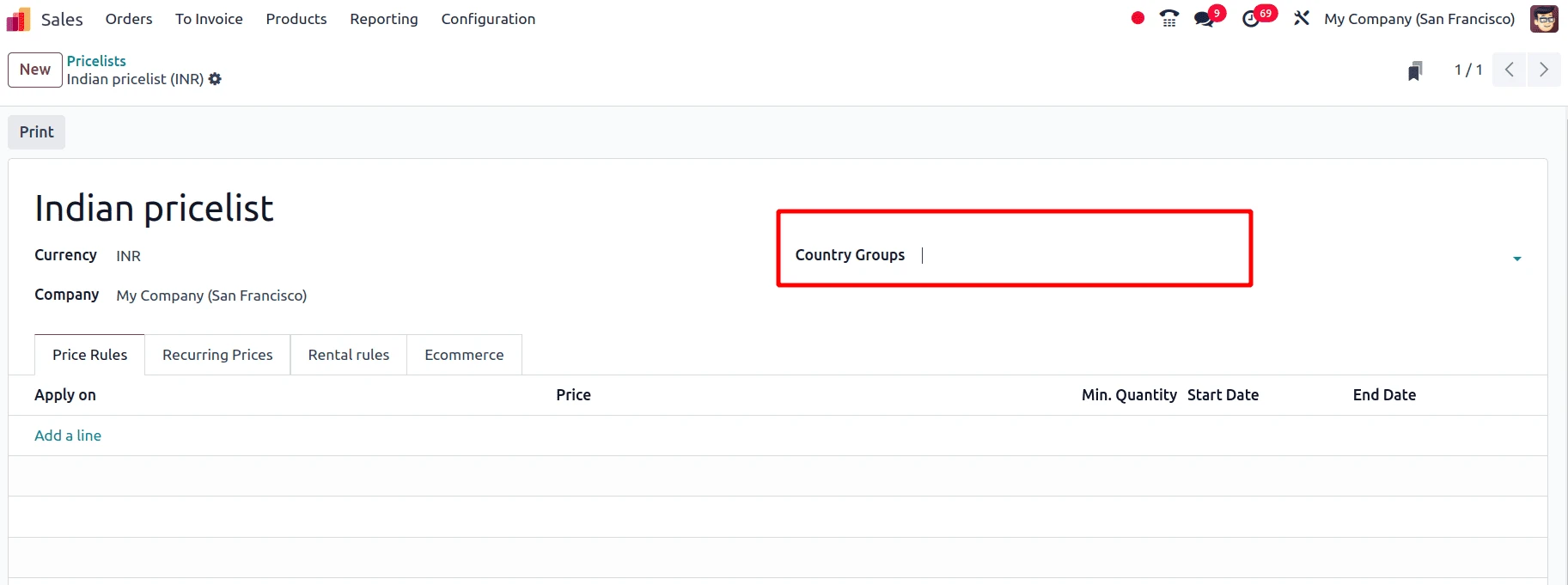
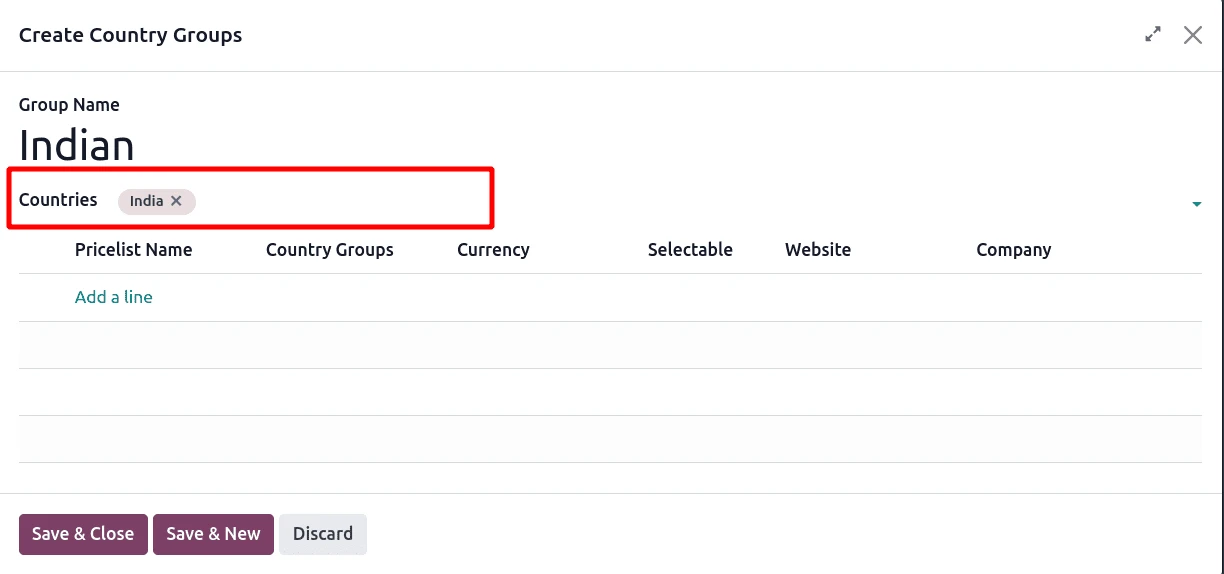
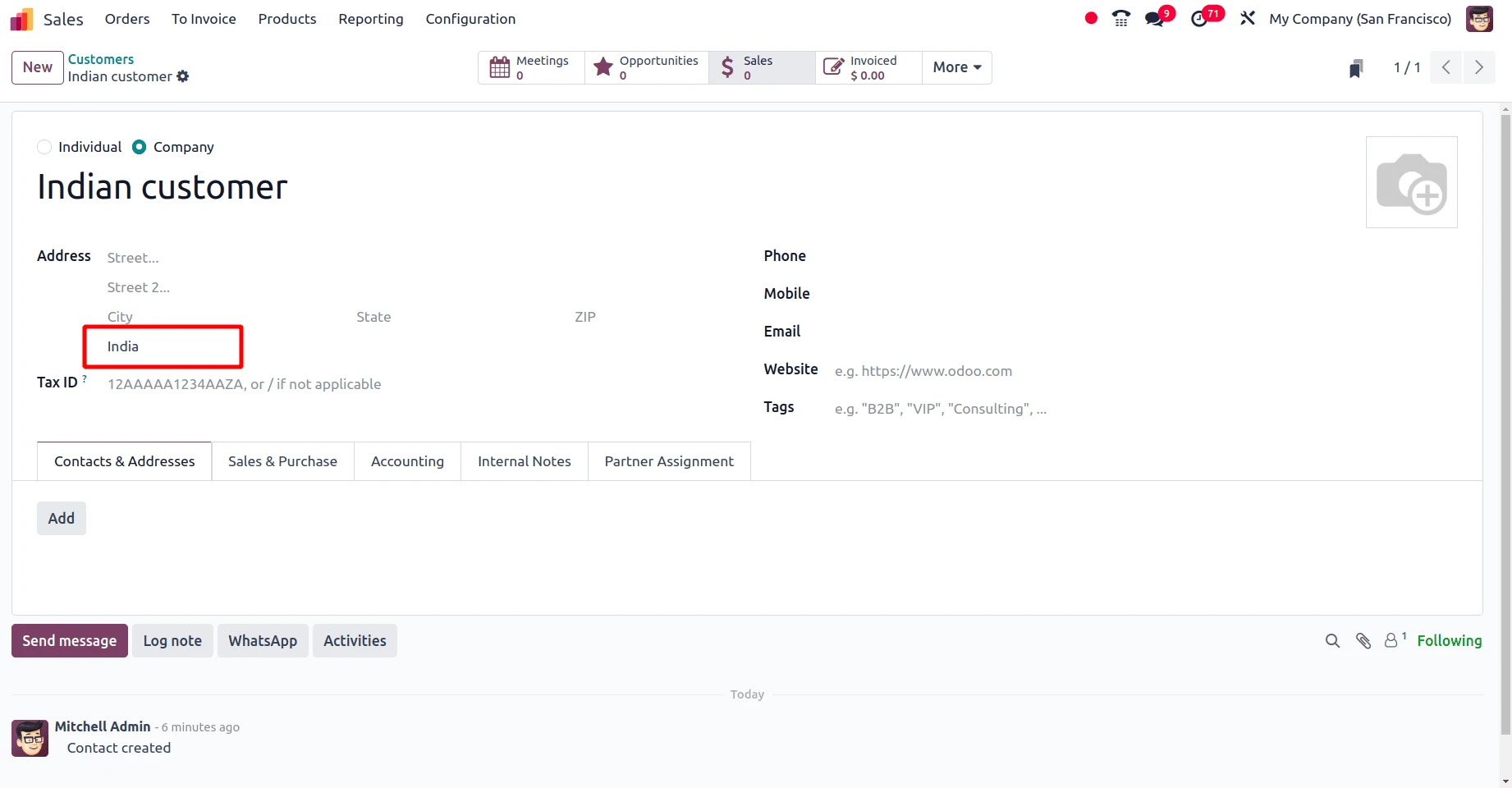
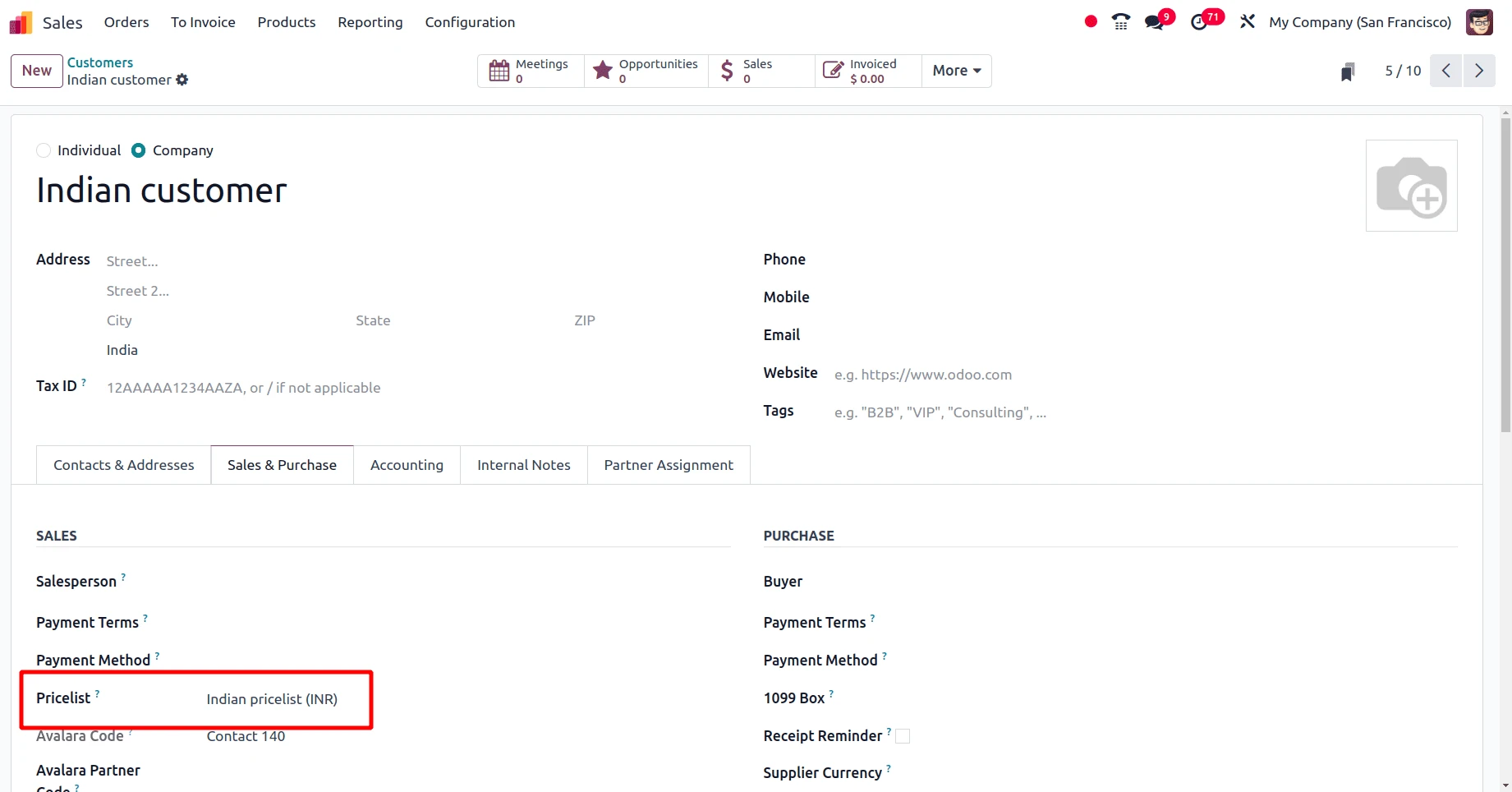
Crucially pricelists are also how Odoo manages multicurrency sales.if you are selling in both USD and INR you will have separate pricelists for each currencyensuring the customer sees quotes, in their local tender.
Conclusion
Odoo 19s Pricelist feature is a sophisticated tool designed to move buesinesses away from manual price lookups and into automated strsategic pricing.By combining powerful computation formulas with strict applicability rules regarding quantity, date, and product type, you can ensure accurate pricing for every scenario your sales team encounters.



.jpg )


Leave a comment