

Running a mid-sized distribution company means dealing with suppliers who are also customers more often than you'd think. Take our relationship with Johnson Industries - we buy their packaging materials monthly, but they also purchase our logistics software. For the longest time, we were basically playing financial ping-pong with them.
Every month, like clockwork: they'd send us an invoice for $25,000 worth of materials. We'd send them an invoice for $18,000 in software licensing. Then we'd both write checks and mail them off. Johnson would pay us $18,000, we'd pay them $25,000. Net result? We're out $7,000, but we've processed $43,000 worth of transactions to get there.
Our controller finally said enough. "This is ridiculous. We're moving money around just to move money around." That's when we started looking into AR/AP netting. Best decision we made all year.
What AR/AP Netting Actually Does
The concept isn't complicated. Instead of processing separate payments for what you owe and what's owed to you, you just calculate the difference and settle that.
Using our Johnson Industries example:
- They owe us $18,000 (software)
- We owe them $25,000 (materials)
- Net: We pay them $7,000 and call it even
One transaction instead of two. Both accounts cleared. Everyone's happy.
But getting this set up properly in Odoo? That took some work.
The Real Impact of AR/AP Netting
Most companies look at AR/AP netting and think it's just a minor process tweak. That assumption changes quickly once you see what it actually does for business operations.
Banking Fees Add Up Fast
Here's what catches most finance teams off guard - transaction costs add up brutally when you're managing bilateral relationships. ACH transfers run about $15 each, wire transfers hit $35 or higher. Picture processing 12-15 back-and-forth transactions every month with different partners. You're looking at $400-500 monthly just in fees for moving money that cancels itself out. Cut those costs in half almost immediately with proper netting.
Making AP More Efficient
AP staff typically burn hours every month chasing down payments that wash each other out anyway. Instead of this administrative busywork, they can focus on meaningful activities like negotiating better vendor terms or streamlining processes. Many organizations see their month-end close drop from eight grueling days down to five once they implement netting properly.
Accurate Cash Flow Visibility
This changes everything for financial analysis. Standard reports show gross amounts that don't reflect real cash movement. Take a $50,000 receivable against a $45,000 payable - your actual exposure is $5,000, but reports might show $95,000 in total activity. That distortion makes cash flow forecasting and credit analysis nearly useless. Netting fixes this by showing what's actually going to hit your bank account.
Partners Like It
Once trading partners see the process in action, they usually get on board quickly. Many of them were dealing with the same back-and-forth payment issues we had. When we suggested settling amounts in a single, netted transaction, they immediately saw how much simpler it was. Honestly, it’s rare to find someone who actually prefers juggling multiple checks and invoices over a clean, straightforward netting arrangement.
Setting This Up in Odoo - The Real Process
Odoo doesn't have a big red "Net These Accounts" button, but it's definitely doable. Here's what we learned through trial and error:
Partner Setup is Critical
This sounds basic, but make sure your partner record has both customer and vendor flags enabled. We missed this initially with one supplier and couldn't figure out why invoices weren't showing up in reconciliation. Took our Odoo consultant 10 minutes to spot what we'd been wrestling with for hours.
Also, verify their receivable and payable accounts are properly configured. Default settings usually work, but we had one partner where the accounts weren't mapping correctly due to some custom chart modifications we'd made years ago.
The Transaction Flow
We create customer invoices normally - these hit Accounts Receivable. Vendor bills go into Accounts Payable as usual. Both transactions show up in Odoo's reconciliation screen.
Where It Gets Interesting
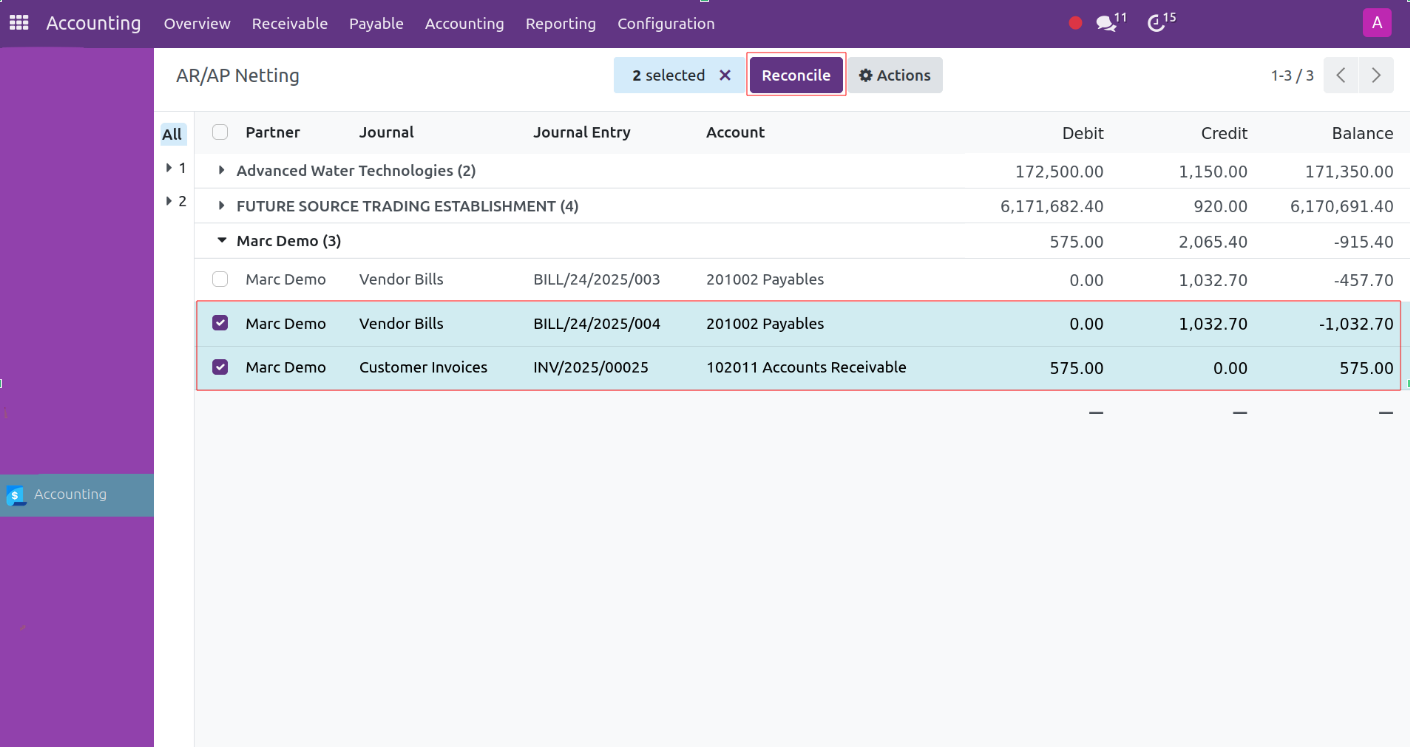
In the reconciliation view, you can see both the AR and AP entries for the same partner. The key is timing - don't reconcile until both amounts are final and approved. We learned this the hard way when we had to reverse a reconciliation because their invoice changed after approval.
Settlement
After reconciliation, you're left with the net amount. If it's in their favor, we process one payment. If it's in ours, we send one collection notice. Done.
Navigate to the journal items, then filter to display both the payables and receivables for the same customer. Select the relevant entries and reconcile them to clear the balances efficiently.
Bank Reconciliation in Odoo
Bank reconciliation is one of those accounting tasks that sounds simple, but it can get messy if you ignore it. At its core, it’s about checking that what your accounting system says you have matches what your bank actually shows. If it doesn’t, things can go wrong fast—missed payments, duplicate invoices, or just plain confusion about your finances.
Think of it like balancing your own checkbook. If you guess what’s in your account, you could overspend or miss deposits. In business, mistakes are more expensive. A single missed invoice or duplicated payment could cost hundreds or even thousands of dollars. Reconciliation is the tool that keeps you on track.
Why It’s Needed
- First, it keeps your records accurate. You want Odoo to reflect reality. That way, you know exactly how much cash you have, which helps with budgeting, planning, and day-to-day decisions.
- Second, it catches errors. Payments can go missing. Sometimes entries get duplicated. Occasionally, there’s an unauthorized withdrawal. If you reconcile regularly, you catch these problems before they escalate.
- Third, it makes audits simpler. Auditors expect your records to match the bank. If they do, the process is faster, smoother, and less stressful. You also demonstrate good financial management.
- Finally, reconciliation gives you a clear picture of your cash. When you know your actual balances, you can plan payments, decide on investments, and avoid running short. Without this clarity, it’s easy to make decisions blindly.
Open the Reconciliation Screen
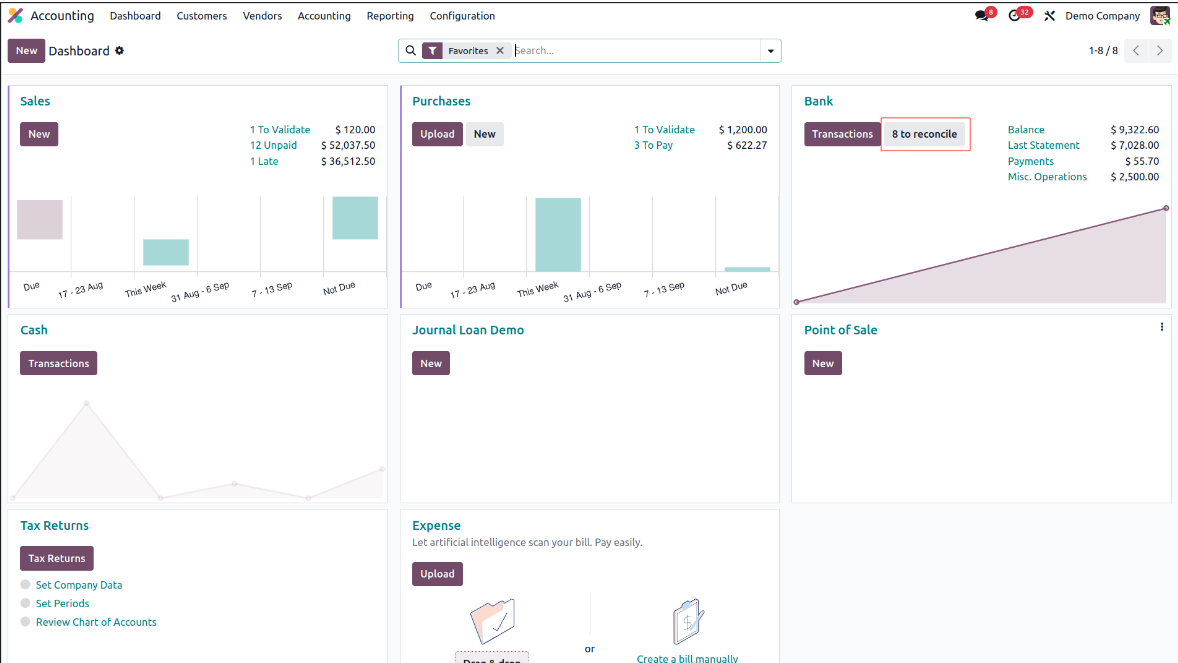
Start by going into the Accounting app. On the dashboard, you’ll see a button that says Reconcile # Items (the number will depend on how many transactions are waiting). You can also click directly on the bank journal you want to reconcile.
Bring in Your Bank Statement
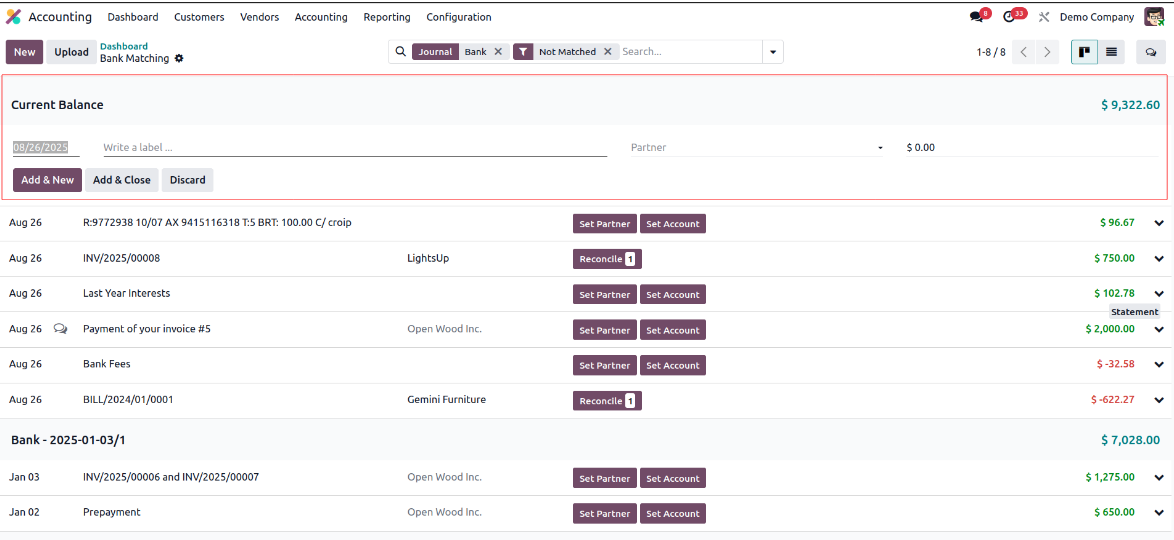
If you already have a file from your bank, you can import it. Otherwise, click New to create a statement manually. Fill in the basics—like the partner, the total amount, and any reference numbers for invoices or bills. if you’re adding a vendor bill, make sure to put a minus sign before the amount. Once that’s done, hit Save to register it.
Match and Reconcile Transactions
In the reconciliation view, Odoo will try to do the heavy lifting by matching transactions with invoices or payments. Don’t just accept them blindly—check that the matches make sense. If Odoo can’t find a partner, just select the line and fill it in under the counterpart entries section. For situations where one payment covers multiple bills, use the Batch Payments tab. And if you need to handle things manually—like adding a write-off or creating a new entry—use the Manual Operations tab. Once everything looks good, click Validate to finish.
Check the Results
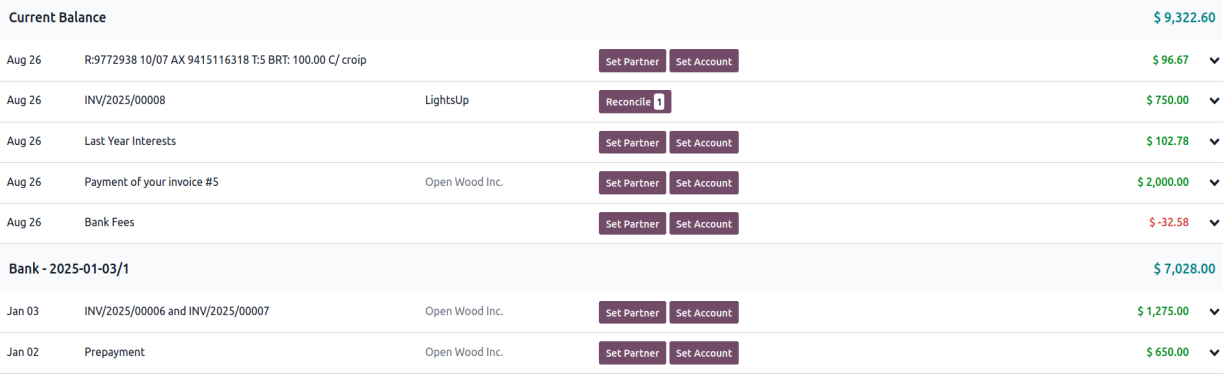
After validation, the invoices or bills that were included will automatically switch to a “paid” status. If you want to review what got reconciled, clear the “Not Matched” filter on the statement lines and you’ll see the full picture.
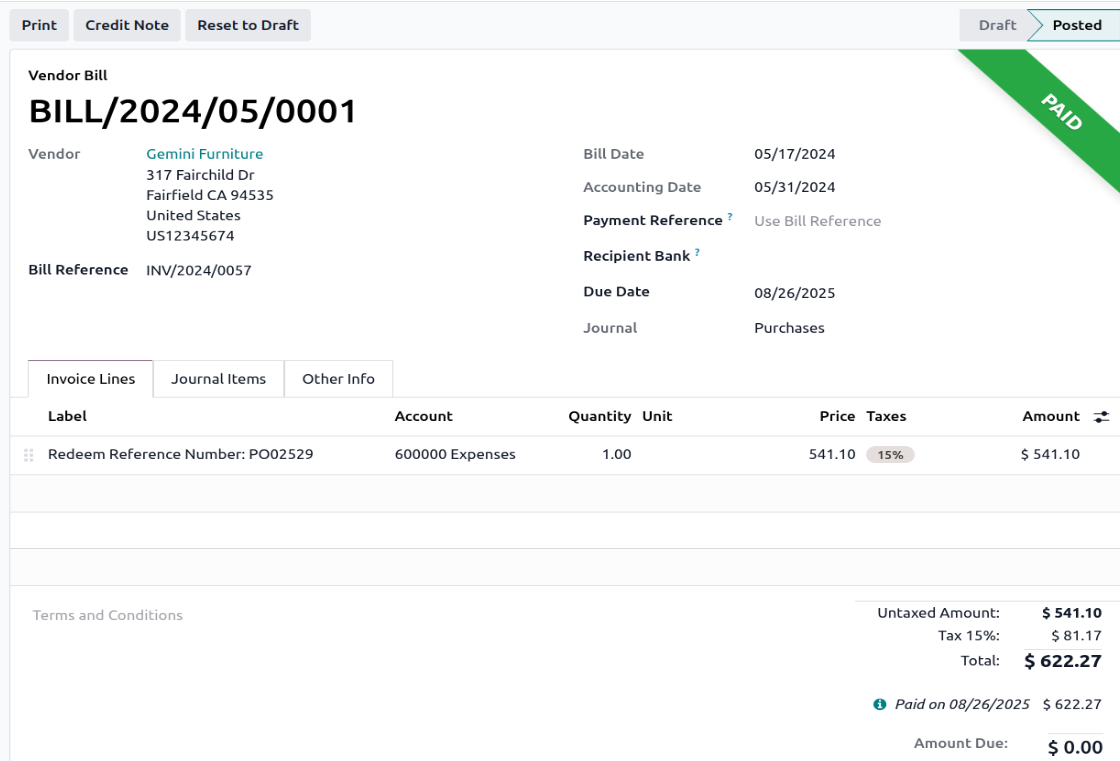
Validate – When all transactions are reconciled, confirm. Your Odoo account balance now matches the bank.
Example
If a client pays $2,500, Odoo shows an open invoice for the same amount. Odoo suggests a match. The bank also charged $25 for the transfer. Record it. Validate. Done. Records and bank balance in sync.
Tips
- Reconcile weekly, or at least monthly.
- Keep invoices and receipts organized.
- Always review automatic matches.
- If anything looks unusual or unexpected, make a quick note so you remember it later.
Bank reconciliation isn’t just about filling out numbers. It’s really about knowing where your money is. If you take the time to do it carefully, you catch mistakes early, stay on top of cash flow, and make audits much less stressful. Odoo can speed things up, but you still need to keep an eye on things yourself. At Veuz Concepts, we offer the necessary expertise, configuration, and ongoing support to ensure your Odoo bank reconciliation runs seamlessly giving you accuracy, efficiency, and complete financial confidence.


.jpg )


Leave a comment