

The warehouse and location management in Odoo isn’t simply the repository to store products, it’s the complete solution to organize, track, and optimize inventory.
Even if it is one or dozens of warehouses in several countries, Odoo provides you the transparency and control to manage things that help your business really work.
Setting the right one up and your warehouses are smarter, your team works faster, and your customers receive their orders just on time.
An efficient inventory management is the backbone of any successful business. Whether it’s one warehouse or a global supply chain, the key to success is having a handle on exactly where your products are and how they’re getting there. Odoo makes that simple, with an adaptable smart warehouse and location system.
Let's take a look at how this thing works and why it really means something.
A warehouse in Odoo is the physical location wherein your products are accepted, stored, and dispatched. Essentially, it is the nerve center of your inventory activities.
For example, you could have a Main Warehouse for day-to-day stock, a Regional Warehouse for a specific purpose and a Spare Parts Warehouse for after-sales.
Each warehouse can have its own structure, routes, and workflows — but everything stays connected in one central Odoo system. This gives you clear, real-time visibility of stock levels across all your locations.
Stock locations function In every warehouse, Odoo applies the use of locations for product organization. A location may refer to either a physical space as detailed by a shelf, zone, or bin, or virtual spaces as supplier or customer areas.
Warehouse: Main Warehouse (WH)
│
├── WH/Input → Receiving Area
├── WH/Stock → Main Storage
└── WH/Output → Shipping Area
For example, this is how a normal warehouse would look in Odoo.
Each of these locations plays a specific role in the flow of goods — from the moment they arrive to the time they leave.
Types of Stock Locations
Odoo offers several types of stock locations to cover every part of your logistics process:
| Location Type | Purpose |
|---|---|
| Vendor Location | Where purchased products come from (supplier side) |
| Customer Location | Where products go after delivery (customer side) |
| Internal Location | A storage space inside your warehouse, like racks or sections |
| Inventory Loss | Used when adjusting stock differences. |
| Production | Used for manufacturing – to store raw materials and finished goods. |
| Transit | For products moving between warehouses or branches. |
Tracking Product Movement
Product movements in Odoo is recorded as Stock Move. This shows where the product is coming from and where it is going.
Here’s a simple example:
- Goods Received: From Vendor Location to WH/Input
- Stored in Warehouse: From WH/Input to WH/Stock
- Delivered to Customer: From WH/Stock to WH/Output to Customer Location
This tracking method helps you know what’s in stock, what’s in transit, and what’s been delivered.
Setting Up Warehouses and Locations in Odoo
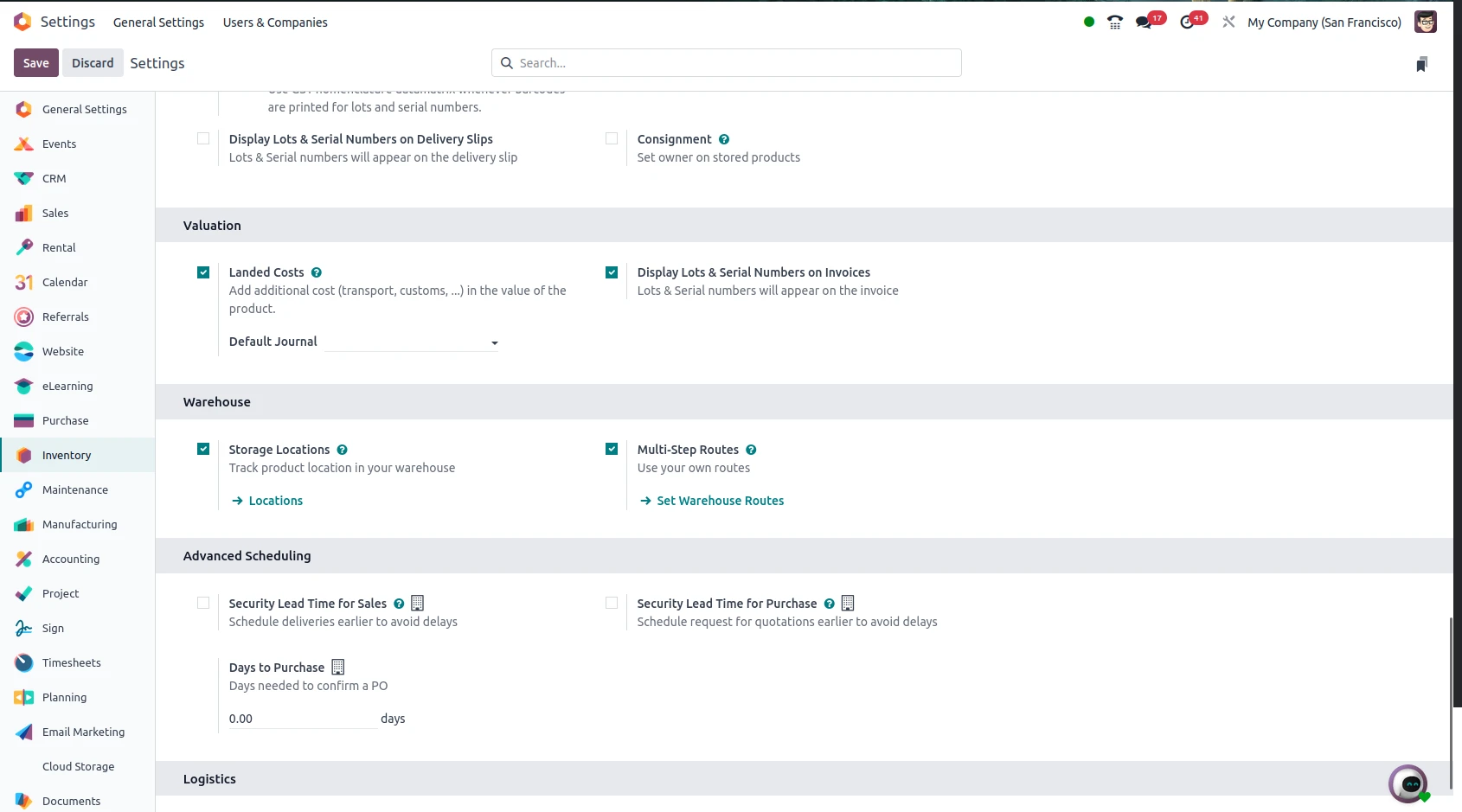
1. Enable Advanced Inventory Options
Go to Inventory, then Configuration, and Settings, and activate:
- Multi-Warehouses
- Storage Locations
2. Create a Warehouse
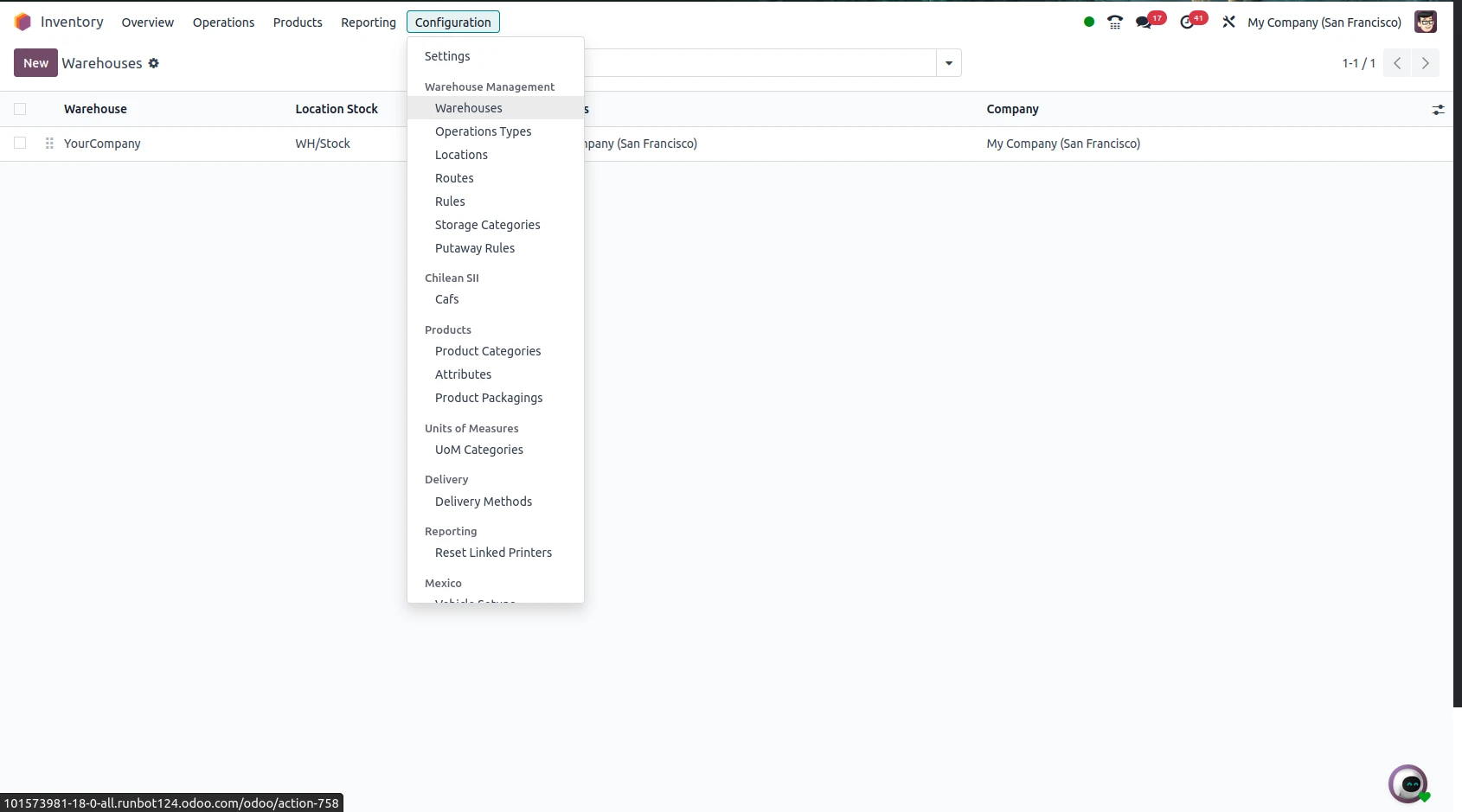
Head to Inventory, then Configuration, then Warehouses, and click Create. Define details like warehouse name, code, and company.
3. Include Stock Locations
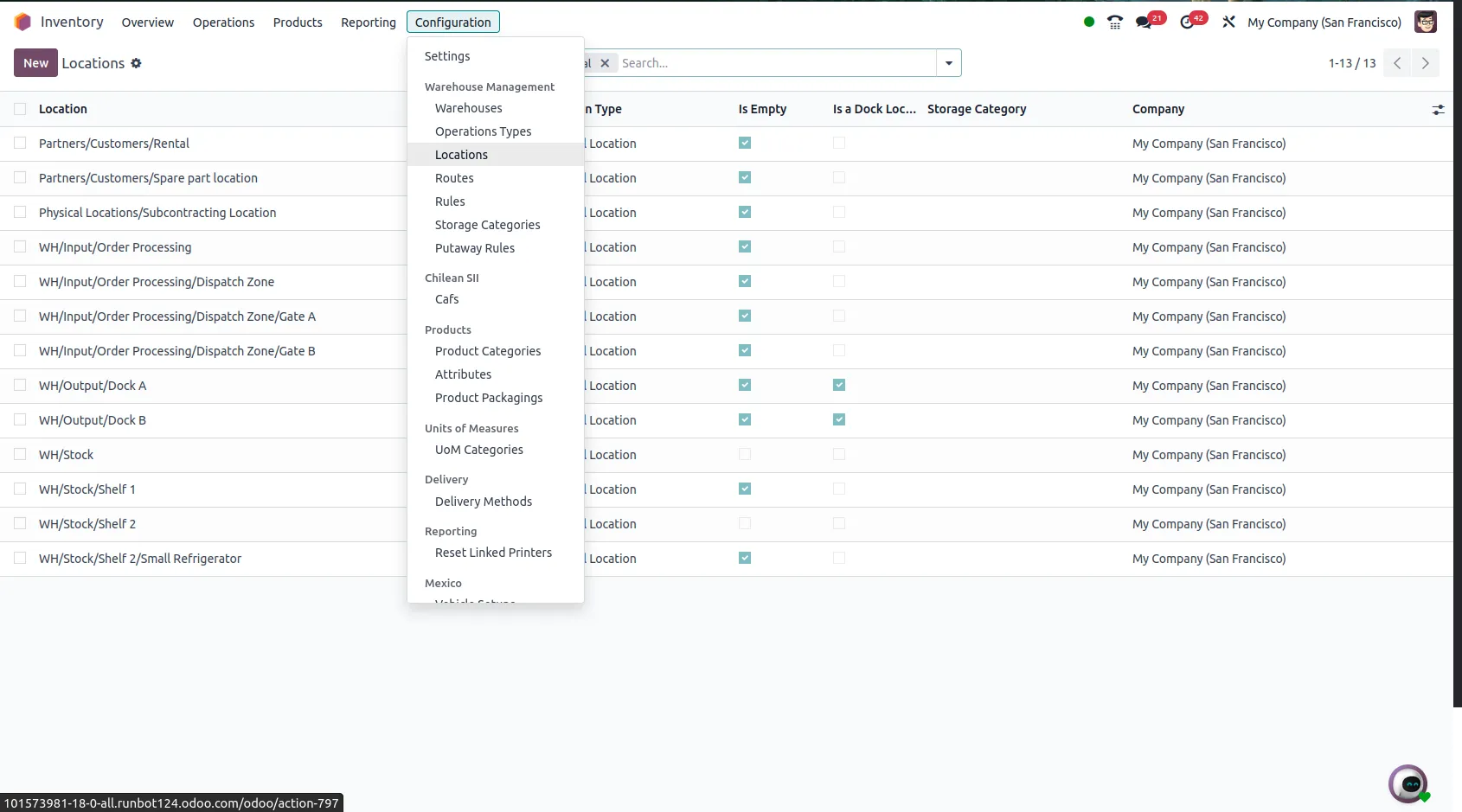
Select Inventory, Configuration and Locations then click Create. Choose the parent location, the type of location as well as additional options. Odoo transparently manages the movement of goods from one location to another once you have configured this.
The Significance of This
You get a lot out of doing locations and warehouses properly in Odoo:
- Track your stock in real time.
- Keep accurate financial and inventory statements.
- Automate replenishments and transfers.
- Enhance decision-making and traceability
In addition, it ensures efficient logistics from order to delivery; reduces man-made mistakes and waste time.
Final Thoughts
Managing inventory efficiently is crucial for businesses dealing with multiple storage facilities, distribution centers, or retail outlets. Warehouses and Stock Locations in Odoo provide a flexible and structured system to track products accurately across different physical and virtual locations.
Odoo allows businesses to create multiple warehouses and define detailed stock locations such as shelves, racks, sections, and transit areas. This structured setup improves inventory visibility, minimizes stock discrepancies, and enhances operational efficiency. With real-time tracking, automated replenishment rules, and smart routing, companies can streamline internal transfers, manage inter-warehouse movements, and optimize supply chain processes.
Stock locations in Odoo also support advanced features like multi-step routes (receipts, quality checks, storage, picking, packing, and delivery), making it ideal for manufacturing, retail, wholesale, and eCommerce businesses. By organizing inventory properly, businesses can reduce stockouts, prevent overstocking, and improve order fulfillment speed.
Implement Odoo’s powerful warehouse and stock location management features today to gain complete inventory control and boost efficiency. Contact us now to streamline your inventory system with expert Odoo implementation support!


.jpg )


Leave a comment