

In every growing business, maintaining the right stock levels is one of the biggest challenges. Too much stock ties up cash and increases storage costs while too little stock leads to missed sales opportunities and unhappy customers.This is where Reorderung rules in odoo 18 come into play a powerful feature that helps to automate inventory replenishment and maintain optimal stock levels effortlessly.
Within odoo inventory module you can set up a series of rules to make sure your products never go out of stock. By using this reordering rule odoo continously works to keep your stock partially or fully replenished. Lets take a closer look at how this functionality operates in odoo 18. you begin by selecting a storable product from your inventory.
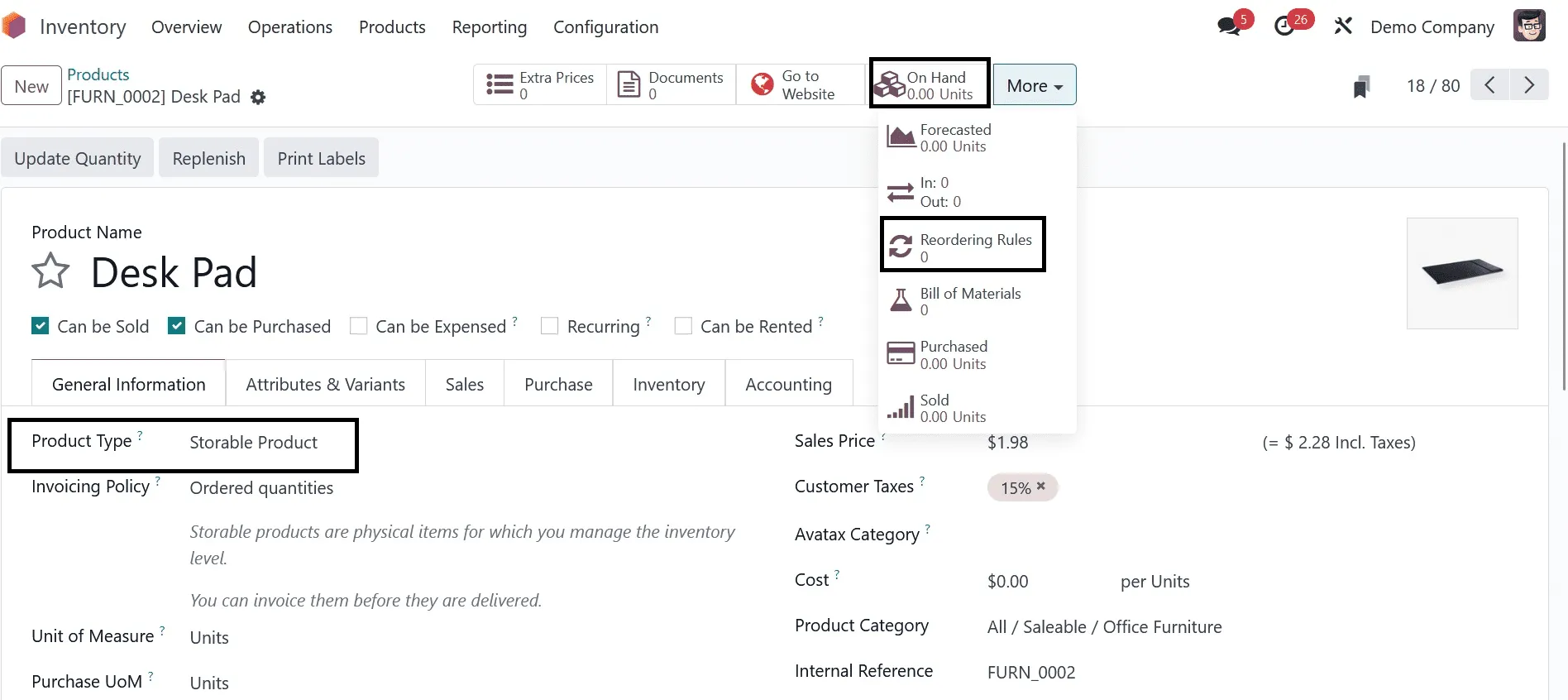
As shown in the example the available quantity is currently 0. To create reordering rules for this product click on the reordering rules samrt button . Doing so will open a new window where you can configure the settings. Here, you can define the minimum stock levels so that odoo can automatically generate RFQs or Manufacturing orders to restock the product whenever the stock drops below your defined threshold.
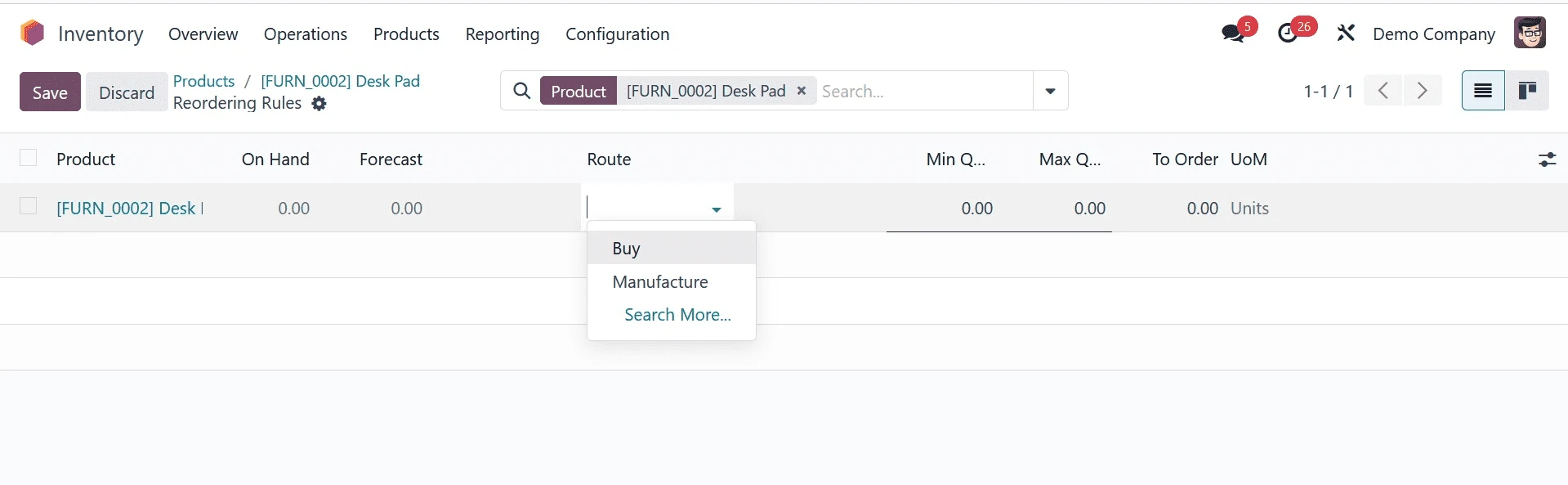
Once you click the create button youll see that the product name storage location ,quantity on hand, and forecasted quantity are automatically filled in. You can then specify how odoo should replenish this product under the preferred Route field. The available routes include Buy, Manufacture, Resupply/ Subcontractor on Order or Replenish on Order. In this example we select Buy as the preffered route and specify the vendor’s name in the vendor field.
The “Min Quantity” field allows you to set the lowest level of stock that should always be maintained. When the stock quantity drops below this minimum level, odoo will automatically generate a purchase order for the selected vendor to refill the product. The “Max quantity” defines the highest stock level that should be maintained and the “To order” field represents the minimum purchase quantity that should be ordered from the vendor. This means the quantity odoo adds to the purchase order will always be equal to or greater than the amount specified in the “To Order” field.
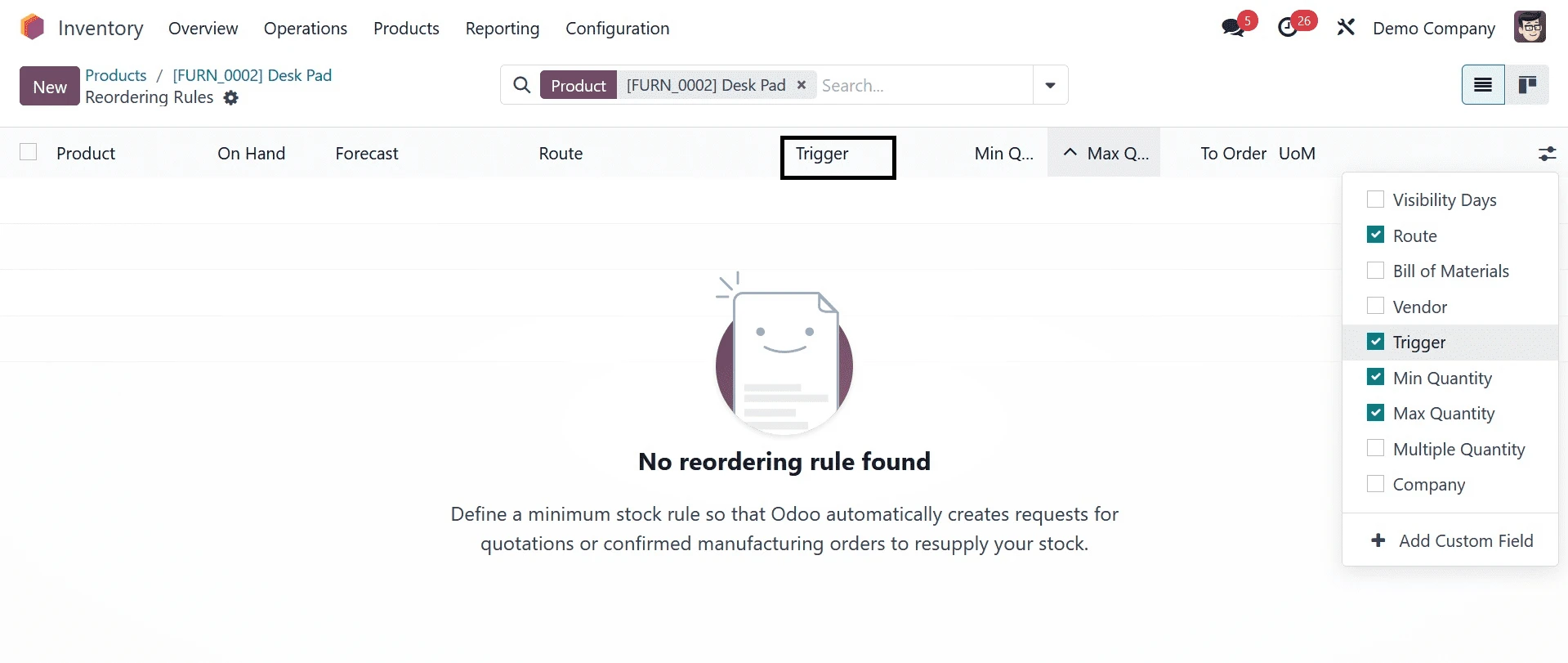
You can also display the Trigger field in the list view by activating it from the additional fields as illustrated in the example.The trigger determines how reordering rules are applied either automatically or manually. If you choose to run the process manually you can go to the operations menu and select the Run scheduler option after setting the trigger to manual.
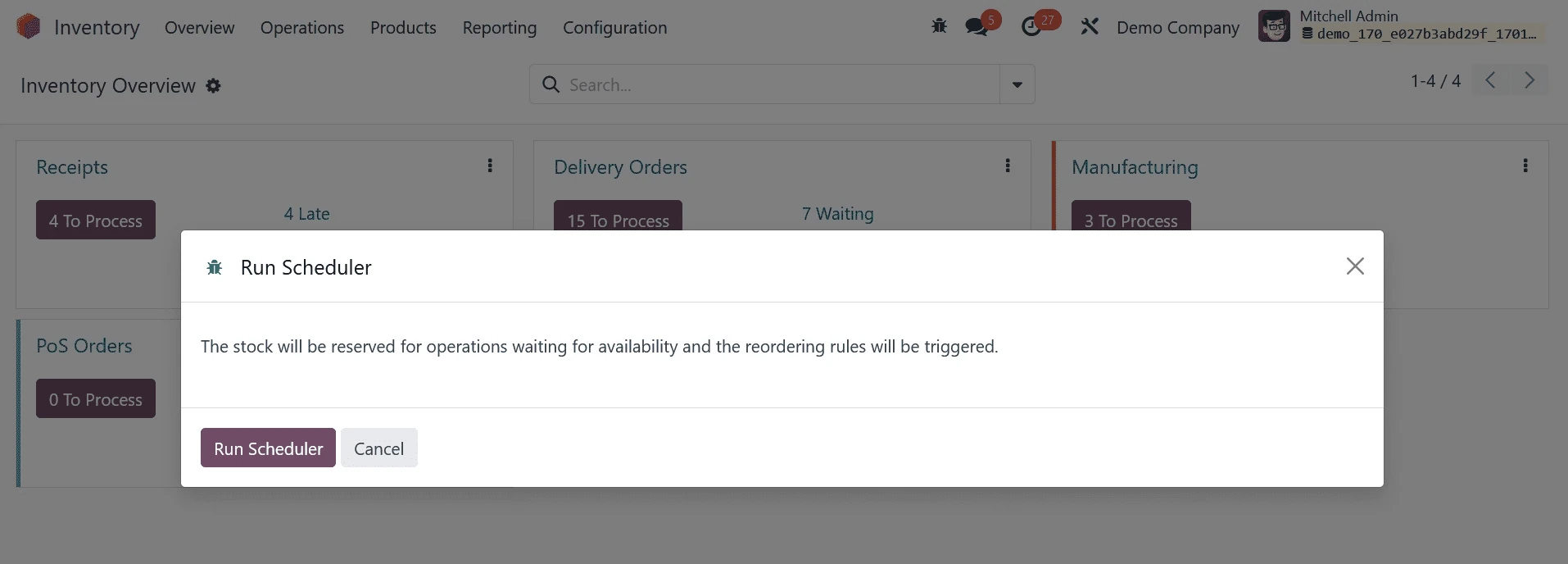
When you click on the Run scheduler odoo will initiate the stock replenishment process. The system will reorder and reserve the stock for upcoming operations until the products become available. You can also track the replenishment orders under the replenishment menu.
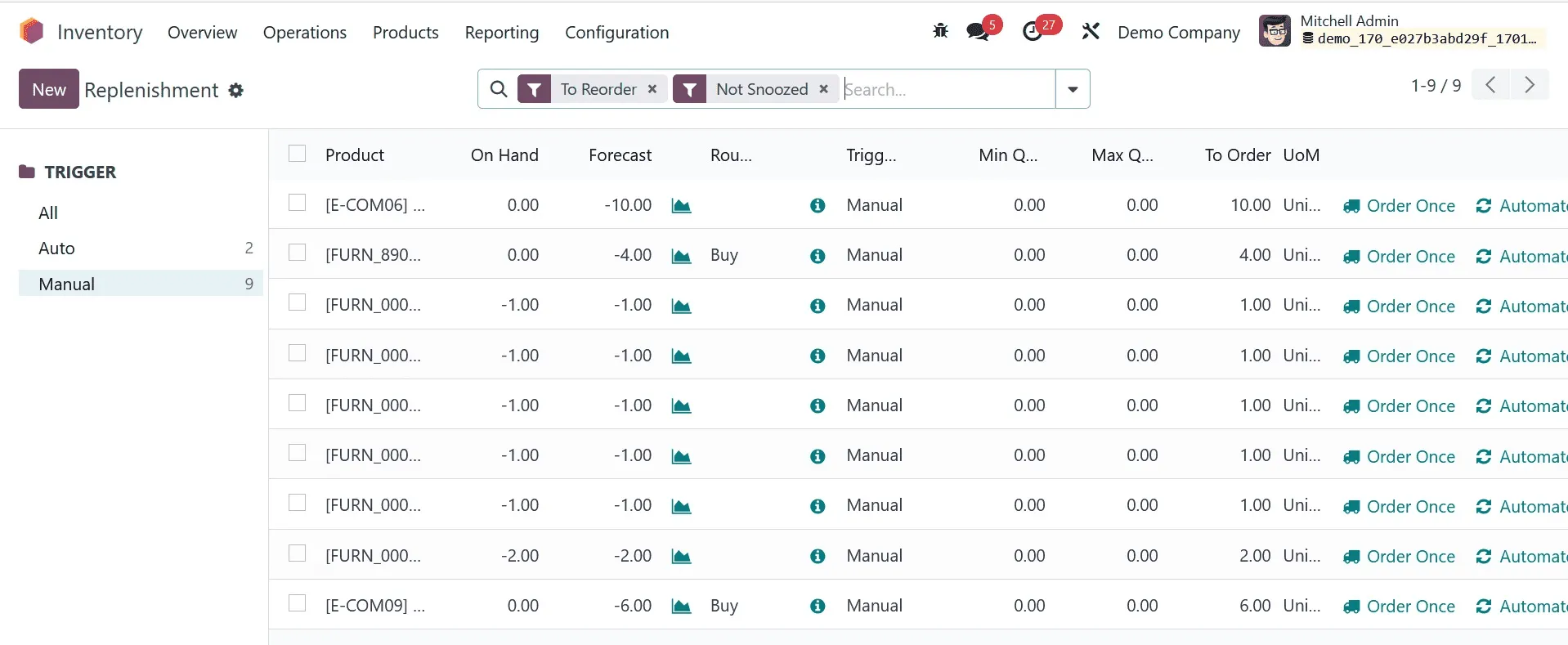
By clicking the “Order Once” button an RFQ will be created and sent to the respective vendor. This RFQ will appear in the purchase module as shown below
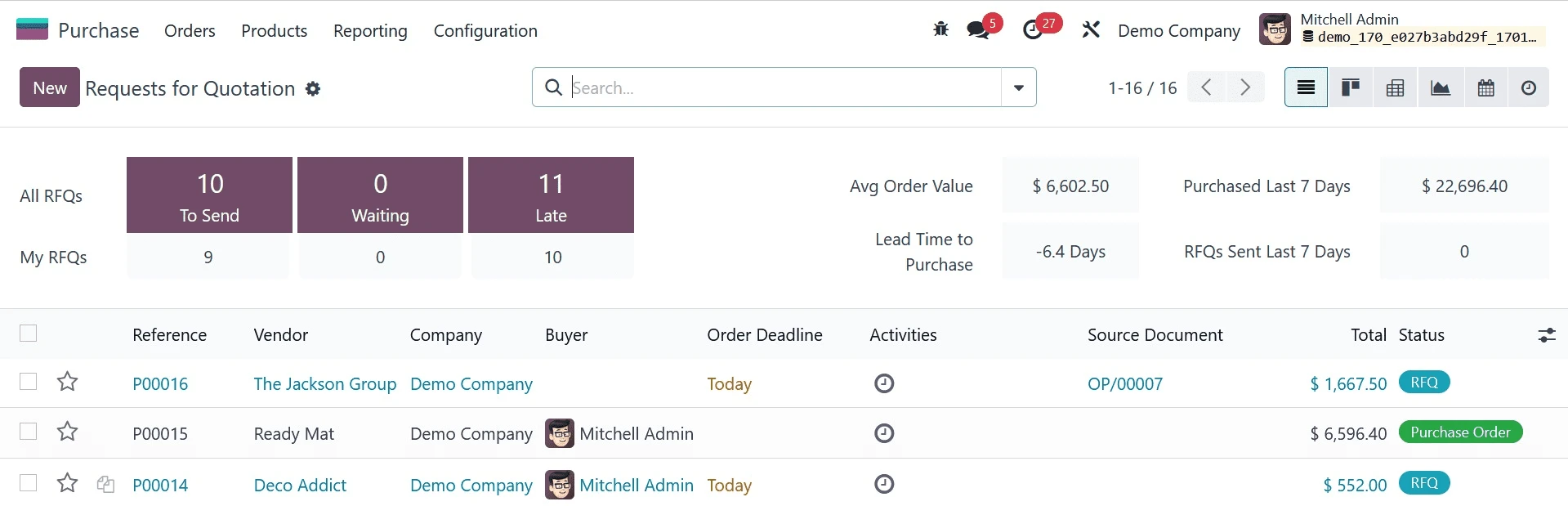
Inside the “Purchase module” you can review and confirm the purchase order. Once confirmed, you can proceed to receive the products.
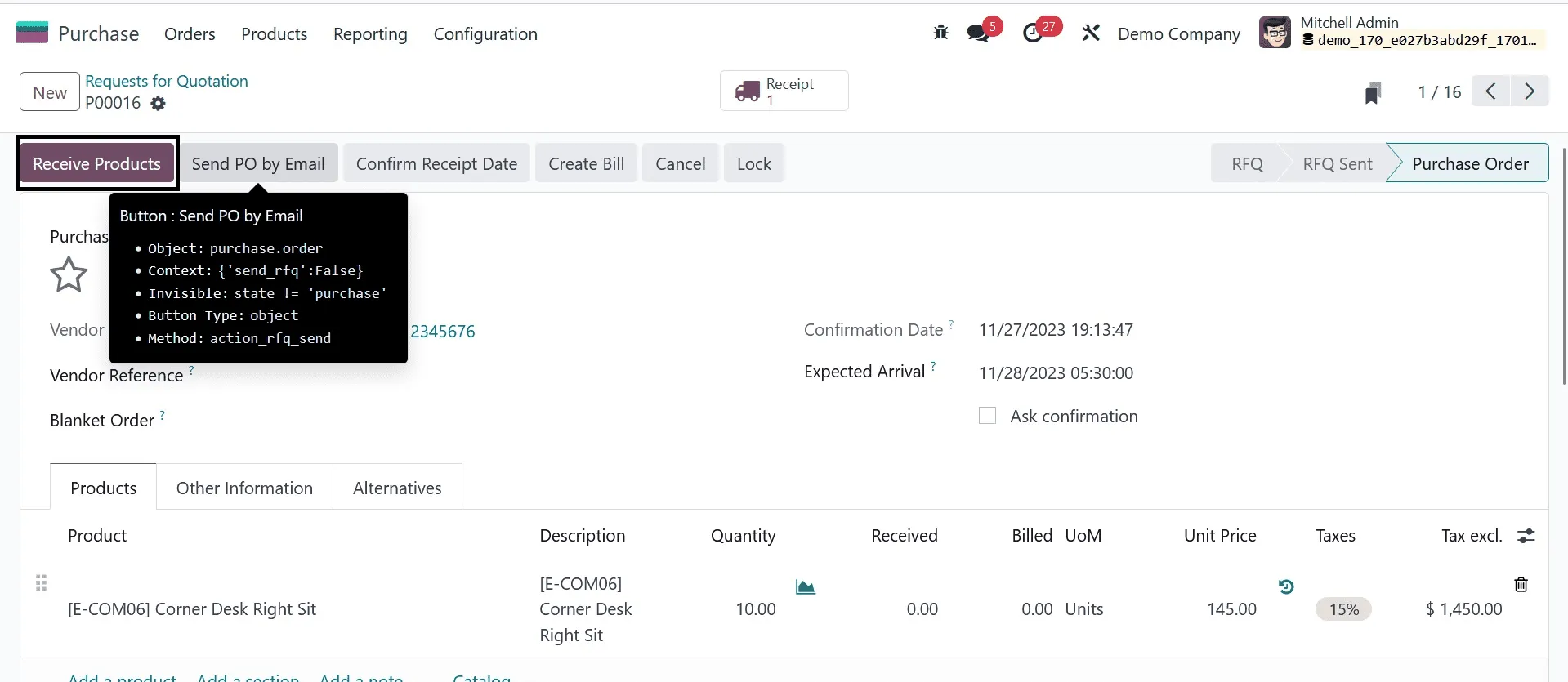
To add the newly received items into the inventory , click on the “Receive Products” button . When you enter in to the product details page you will notice that the “quantity on hand” has updated automatically in line with the reordering rule.
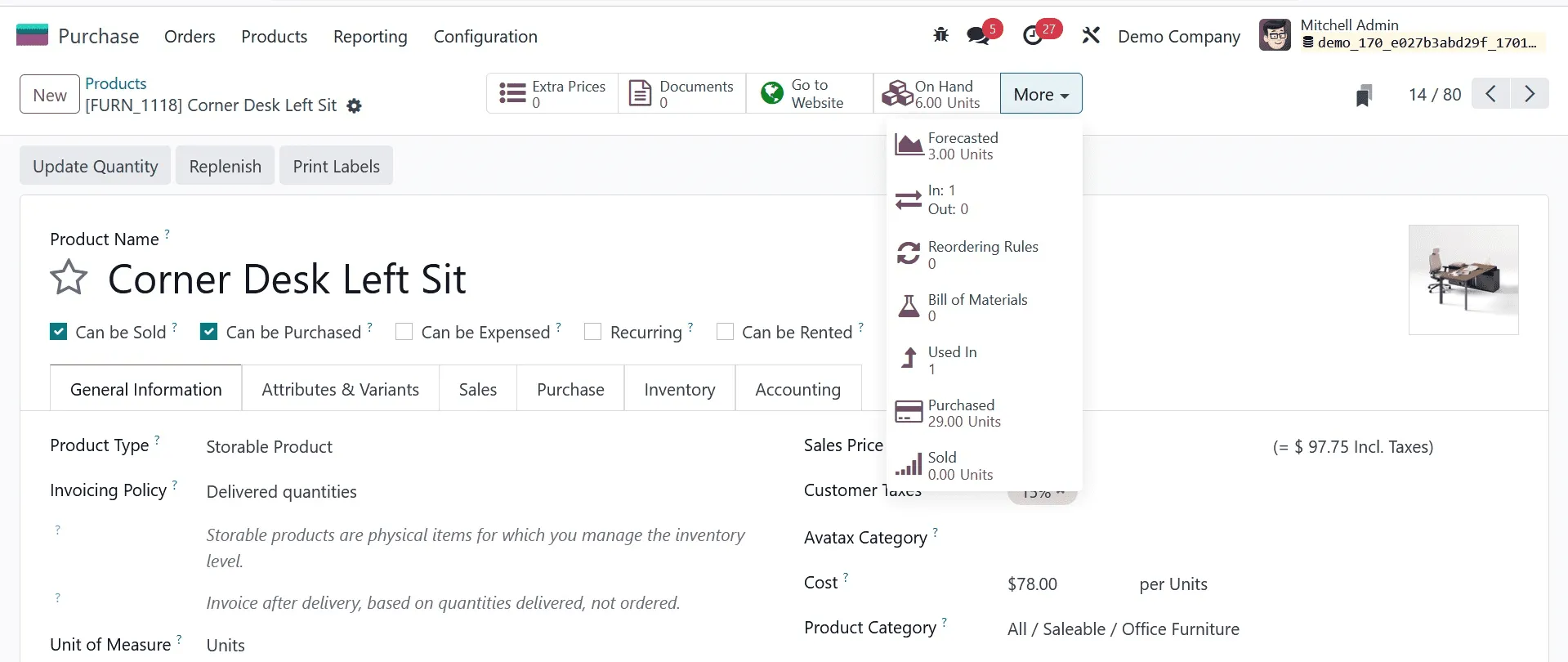
To manage the reordering rules , go to:
Inventory -> Configuration - > Reordering Rules.
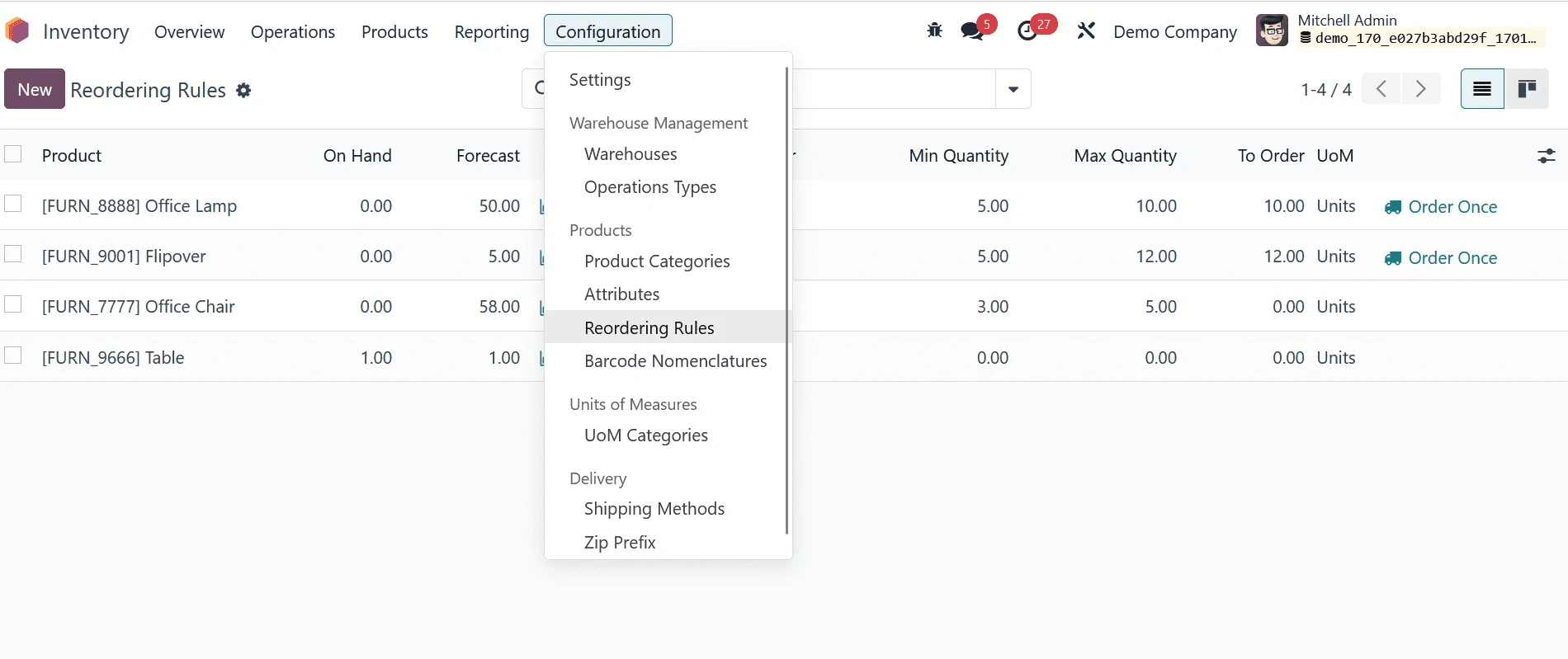
You have full control over your inventory replenishment strategy with this section which shows all of the reordering rules that are currently defined across the various products. with this we can edit, remove, or create new one as necessary.
Reordering rules are essential for automatic restocking avoiding shortages and optimising your supply chains over all operations. When properly setting up this feature helps your business function smoothly maintaining equal inventory levels and guarantees timely procurement without requiring continual manual oversight.
Reordering Rules in Odoo 18 Inventory are a powerful tool for businesses across Saudi Arabia, UAE, and the GCC to maintain optimal stock levels and ensure smooth supply chain operations. With increasing demand, multi-warehouse operations, and fast-moving inventory in the region, automated replenishment has become essential for operational efficiency.
Odoo 18 enables businesses to configure minimum and maximum stock quantities, vendor lead times, and replenishment routes to automatically trigger purchase or manufacturing orders when inventory reaches critical levels. This is especially beneficial for companies operating in Riyadh, Jeddah, Dammam, Dubai, Abu Dhabi, and other GCC cities, where timely stock availability directly impacts customer satisfaction and revenue.
By leveraging Reordering Rules in Odoo 18, organizations can reduce manual inventory checks, avoid costly stockouts, and prevent overstocking—common challenges faced by trading, manufacturing, and distribution companies in the GCC. The system seamlessly integrates with purchasing, manufacturing, and warehouse modules, ensuring real-time inventory visibility and accurate demand planning across multiple locations.
For businesses in Saudi Arabia and the UAE adapting to rapid digital transformation and compliance-driven operations, Odoo 18’s smart inventory automation supports scalability, cost control, and faster decision-making. Whether managing a single warehouse or a multi-branch supply chain, Reordering Rules help streamline inventory processes while improving overall operational performance.
Looking to automate and optimize your inventory using Reordering Rules in Odoo 18 for Saudi Arabia, UAE, or GCC countries? Our Odoo implementation experts specialize in configuring inventory workflows tailored to regional business needs. Contact us today to streamline stock management, reduce costs, and scale your operations with Odoo 18 🚀



.jpg )


Leave a comment