

You know that running a successful business in this competitive retail world is a difficult task. But if you’re using smart promotions and flexible discounts in your ERP system, it can make a huge difference in the growth of your business. Here we will be checking how Odoo ERP will help you use its promotions and discount policies in the Point-of-sale module.
Global Discounts
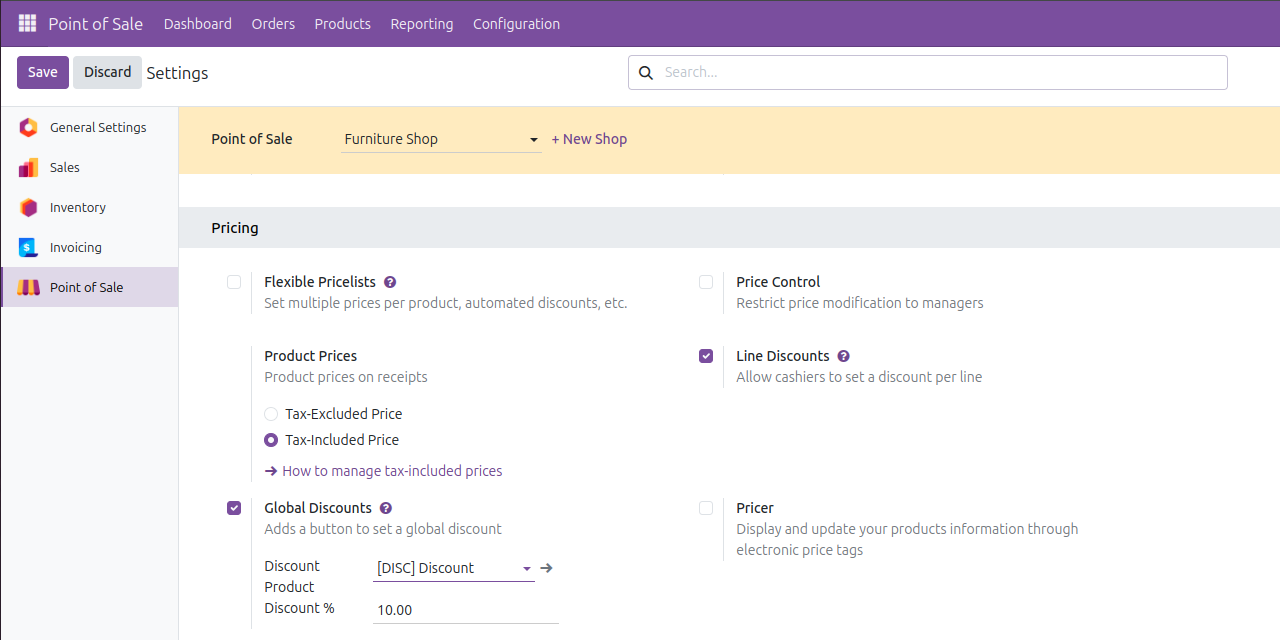
First, let’s check how to use global discount on Odoo 19 POS. For this, you need to enable this option from POS Settings, select your desired point of sale shop then, [Point of sale > Settings > Pricing > Global Discounts]. There you can configure the default value for the global discount percentage, and a product can be mapped for discount. After configuring this, you’re ready to start a session in your point-of-sale shop. If already opened, you need to reload the data again to load the default values to POS frontend.
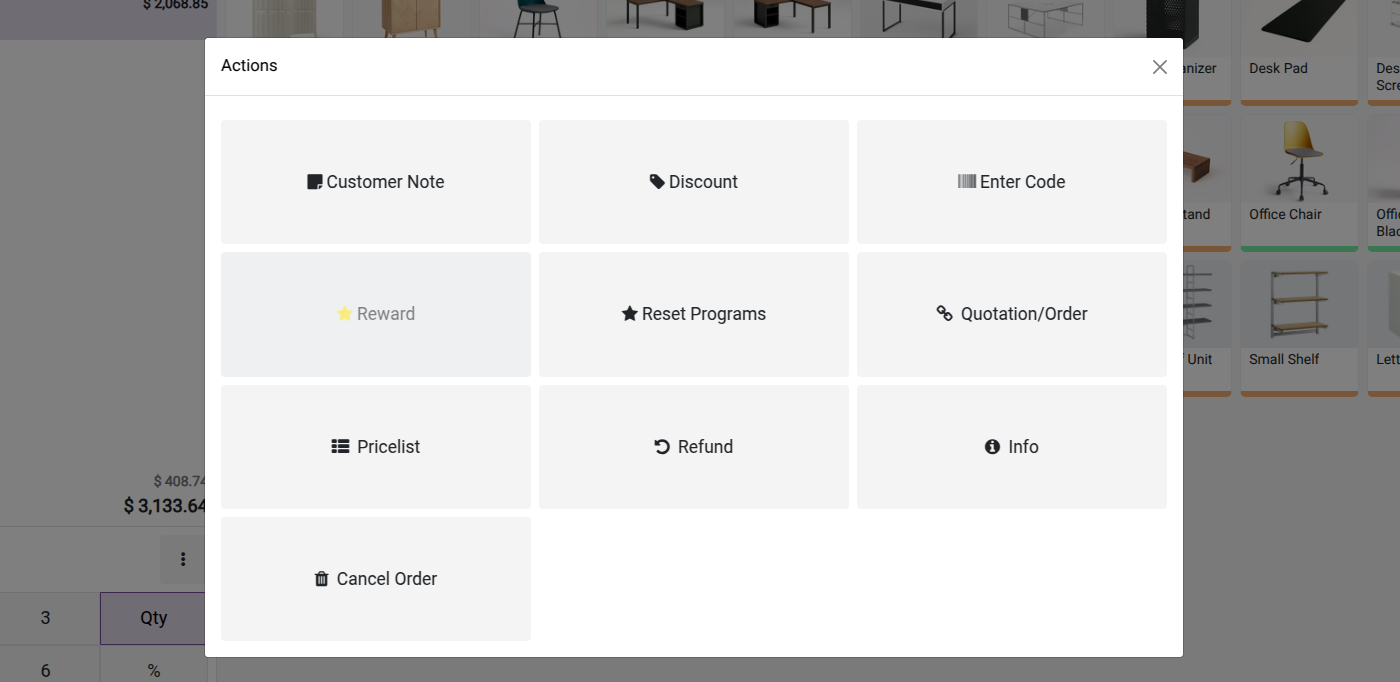
You can add your products as usual to the cart and check all the details and for giving a global discount you can simply click on the three dots menu which is available in the numpad and clicking on it there a new popup will be visible, inside this you can see a new button Discount. Click on this and then you can see the default value of discount percentage there. Here we have set 10% as default, and the value is automatically filled in the input. There you can change it by simply clicking and editing.
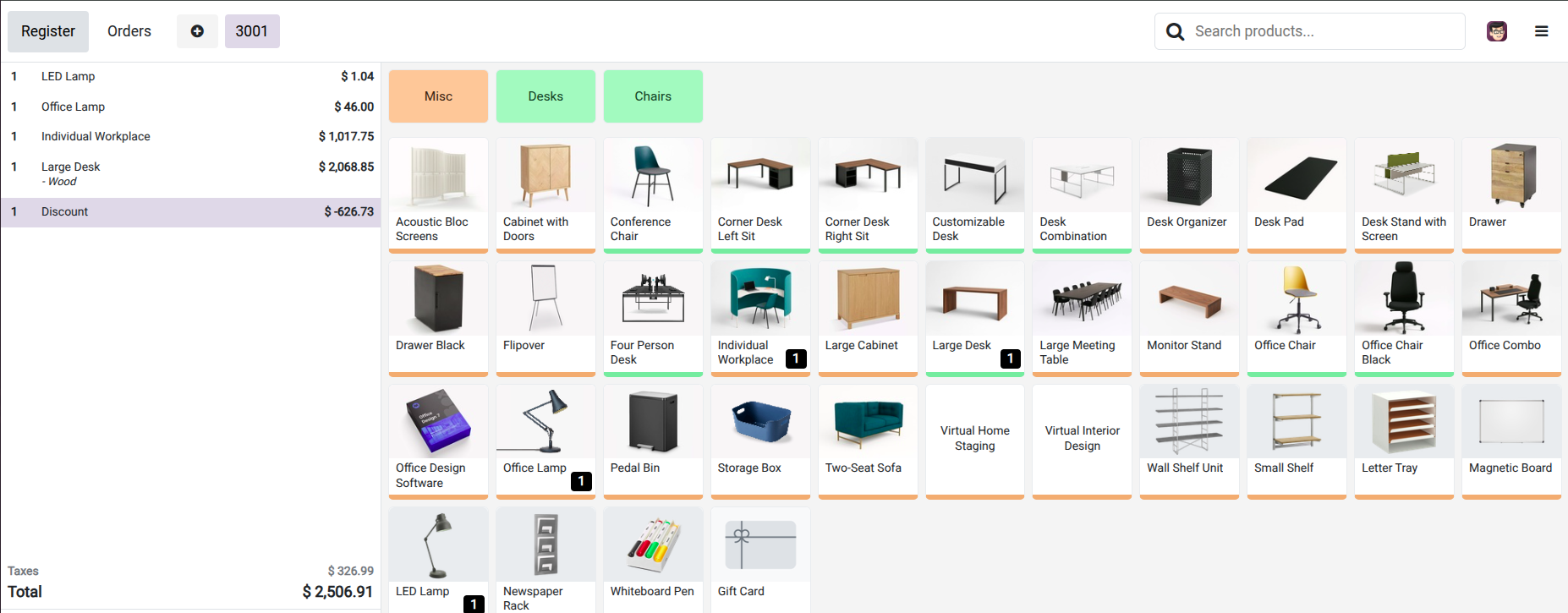
After applying for the discount, there you can see a new line added in the cart with the discounted amount. This is how you can use the global discount feature in Odoo.
Configure Promotions, Coupons, Loyalty & Gift Cards
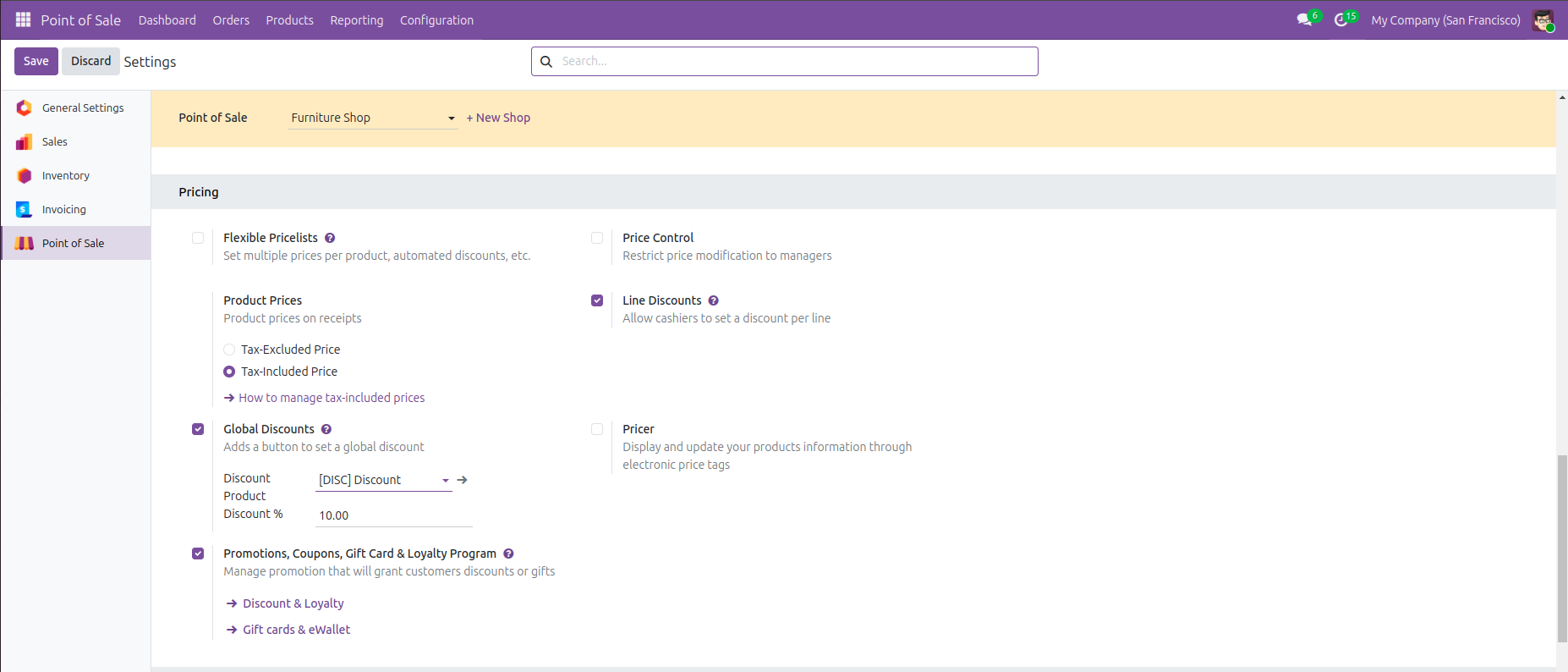
So, other than global discounts, there are several other options to give customers a reward or gift using Odoo. For this, you need to head back to the settings page of the point-of-sale module. There you can see the option for enabling this feature. Point of sale > Configuration > Settings > Pricing > Promotions, Coupons, Gift Card & Loyalty Program, enable this checkbox and then you can start creating promotions for your shop.
For creating new promotions go to the Products Menu in the point of sale module, there you can see Discounts & Loyalty menu, click on that and then it will show all the available promotions there, to create a new one, click on the New button and you will get the form to configure the promotion.
There are a lot of options that you can see on the form. So, the first one after adding a proper name for the promotion program is the program type. So, there you can see a lot of options are available in the type of field and each one of them allows you to create different kinds of promotional programs.
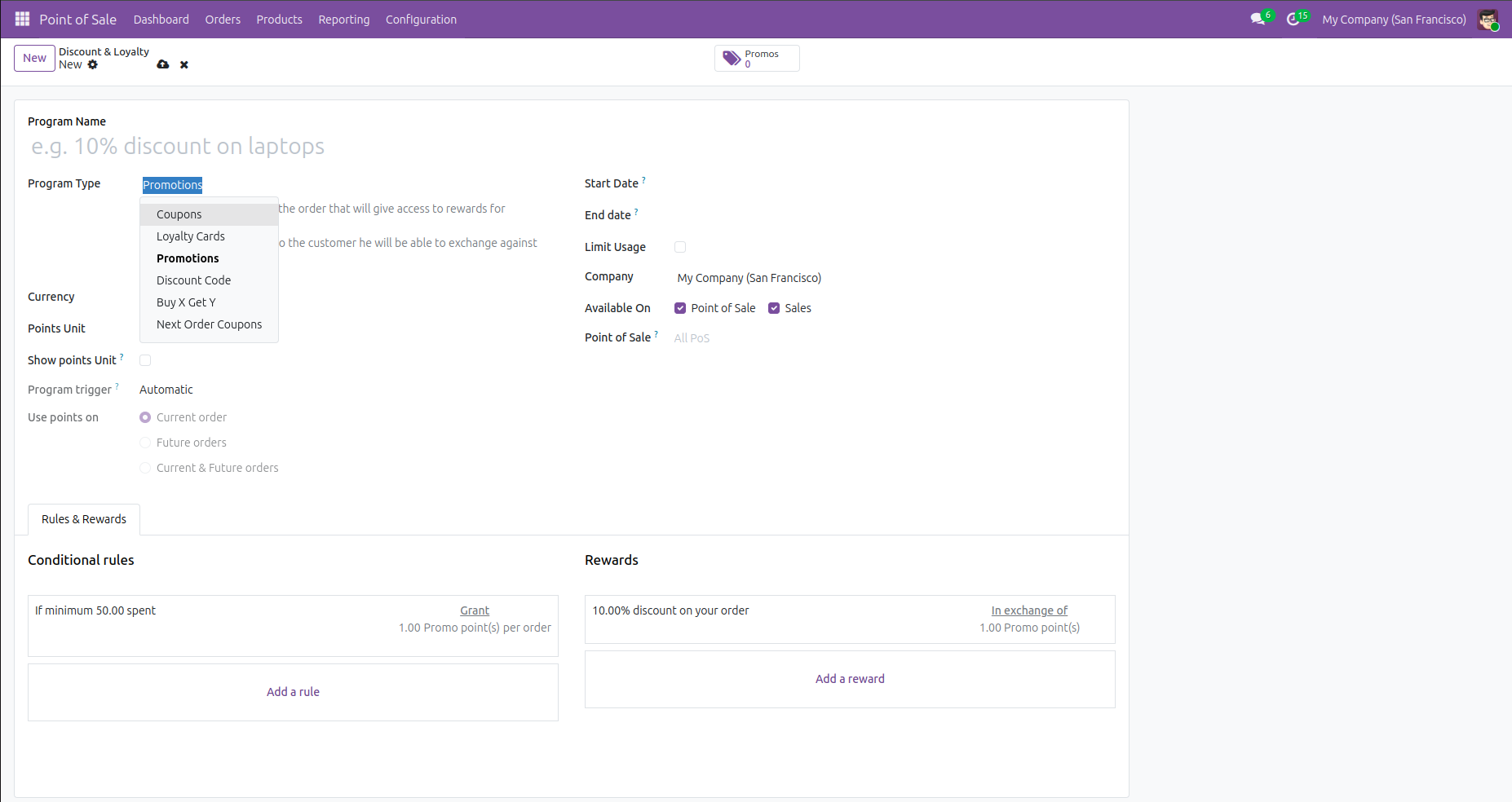
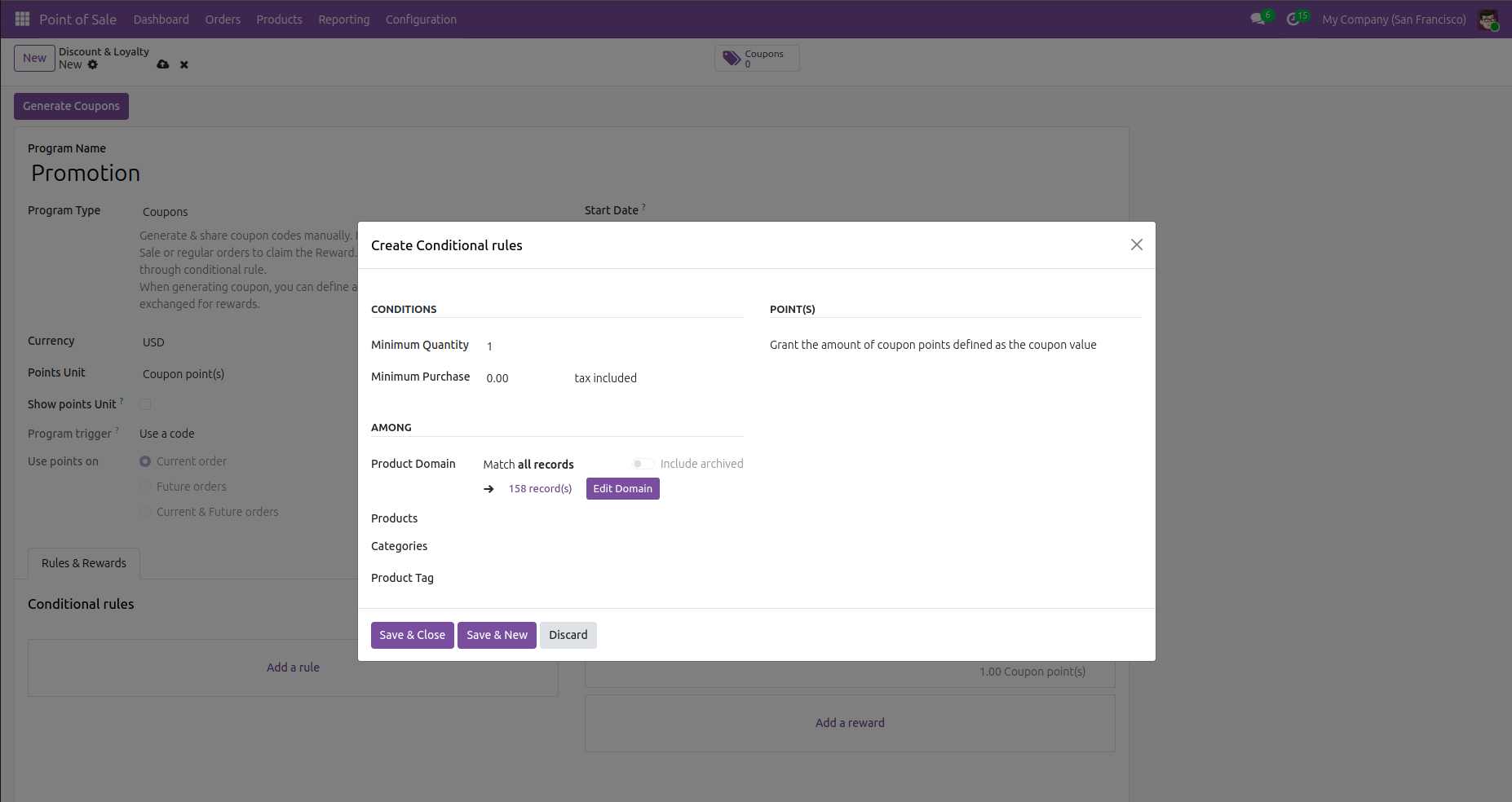
The first option in the type is Coupons. So, as the name says, this type of program allows you to generate coupons for your customers, and using these customers can get discounts and other rewards. So, for setting some rules for the promotion is a major part of the configuration, So there you can see an option to add rule, click on that and you will get a popup to fill the details, there you can add the rule based on your promotions.
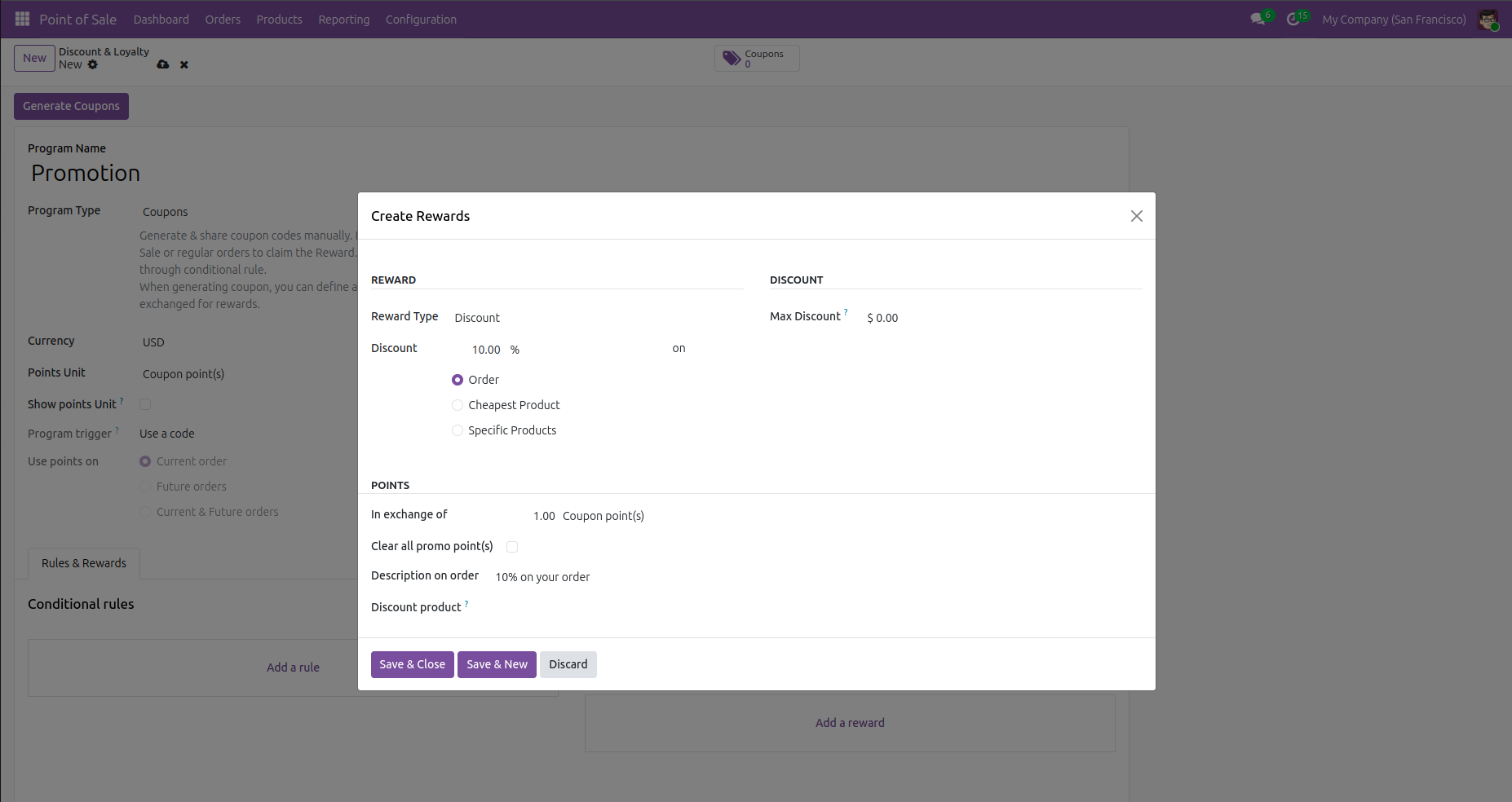
Like the same, you can also add what will be the reward that the customer will get after successfully completing the rule. So, for this also there is an option Add reward, clicking on this will show a new popup, there you can add the details for the reward. You can give the customers a discount or a free product as a reward using this option. Also, there are several other options you can use to specifically launch your promotional program.
Like the coupon program, the next option is Loyalty cards. This kind of program allows your customers to gain loyalty points while purchasing from your shop and use these points on their next purchases as discounts or free products which value the points. For configuring this, you can also choose what rules need to be added and what will be the equivalent reward. This can be done by the same as the coupon rules and rewards added. Next type is Promotions. This also allows customers to gain promo points based on the rules and get the reward using these points. The next type available is Discount Codes. Using this option, you can share some codes with your customers and using this the customers can avail discounts on their purchase. This option can be also configured as the same method we used for the other types, adding a rule and its rewards. The next type is Buy X Get Y promotions. As the name says, by using this promotion your customers will get free products while purchasing a fixed quantity of products. For example, buy 2 get 1 free. If a customer purchases 2 specific products from you and then he will be rewarded with a product for free. This can be also configured in the same way by adding rules and rewarding products. And the last type is Next Order Coupons, in which the customer will get a single time use coupon which he can use on his next order with you. So, these are the type of promotions available in Odoo and that's how you configure them in Odoo19.
Thus, by giving your business a powerful advantage with promotions and discount policies, Odoo 19 POS offers a flexible framework to reward customers and boost sales. With the offers from simple global discounts to advanced loyalty programs and coupons, it offers the ability to configure custom rules and automate rewards, retailers can create meaningful customer experiences while improving operational efficiency. ability to configure custom rules and automate rewards, retailers can create meaningful customer experiences while improving operational efficiency.


.jpg )


Leave a comment